Adding Trendlines to Excel Charts
Swipe to show menu
Trendlines help identify patterns and highlight overall trends in data.
In this lesson, you will learn how to add a trendline to a chart and customize its color, width, and style to make trends clearer and easier to interpret.
Key Points
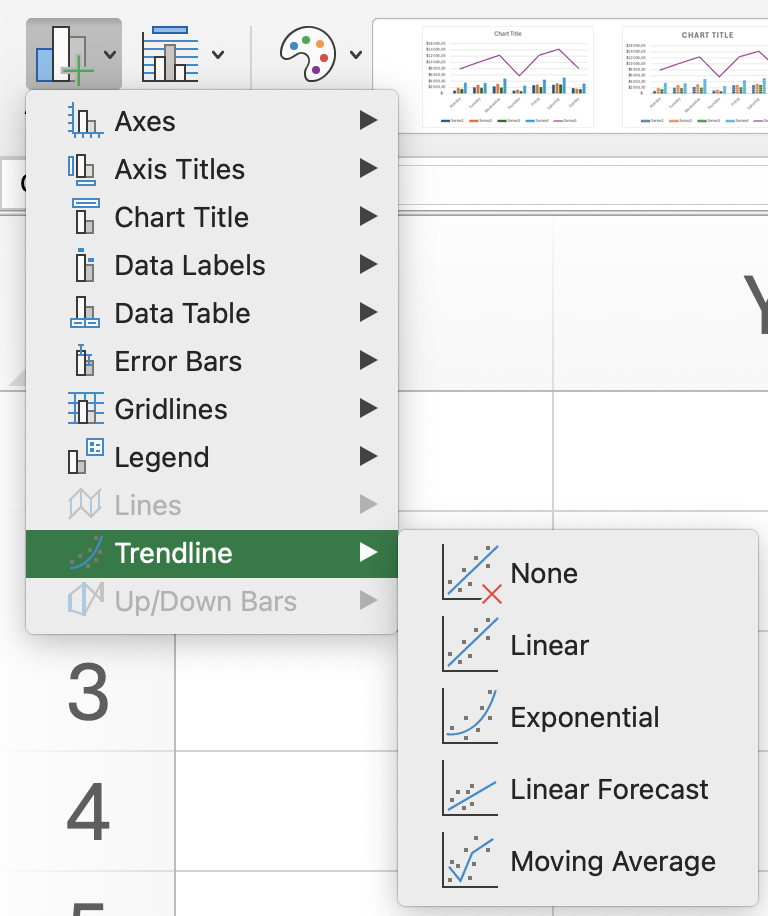
- Add a Trendline using the Chart Design tab → Chart Layouts group → Add Chart Element → Trendline (e.g., Linear);
- Open Format Trendline by right-clicking the trendline to customize its settings;
- Adjust the Forecast Forward value to extend the trendline into future periods;
- Change the trendline type to Polynomial and set the required Order;
- Modify the line color and style in the formatting options to make the trendline more visible.
Everything was clear?
Thanks for your feedback!
Section 1. Chapter 30
Ask AI

Ask AI

Ask anything or try one of the suggested questions to begin our chat
