Excel Conditional Formatting
Swipe to show menu
Conditional formatting in Excel is like giving your data a visual makeover. It allows you to automatically apply specific formatting to cells that meet certain criteria.
Key Points
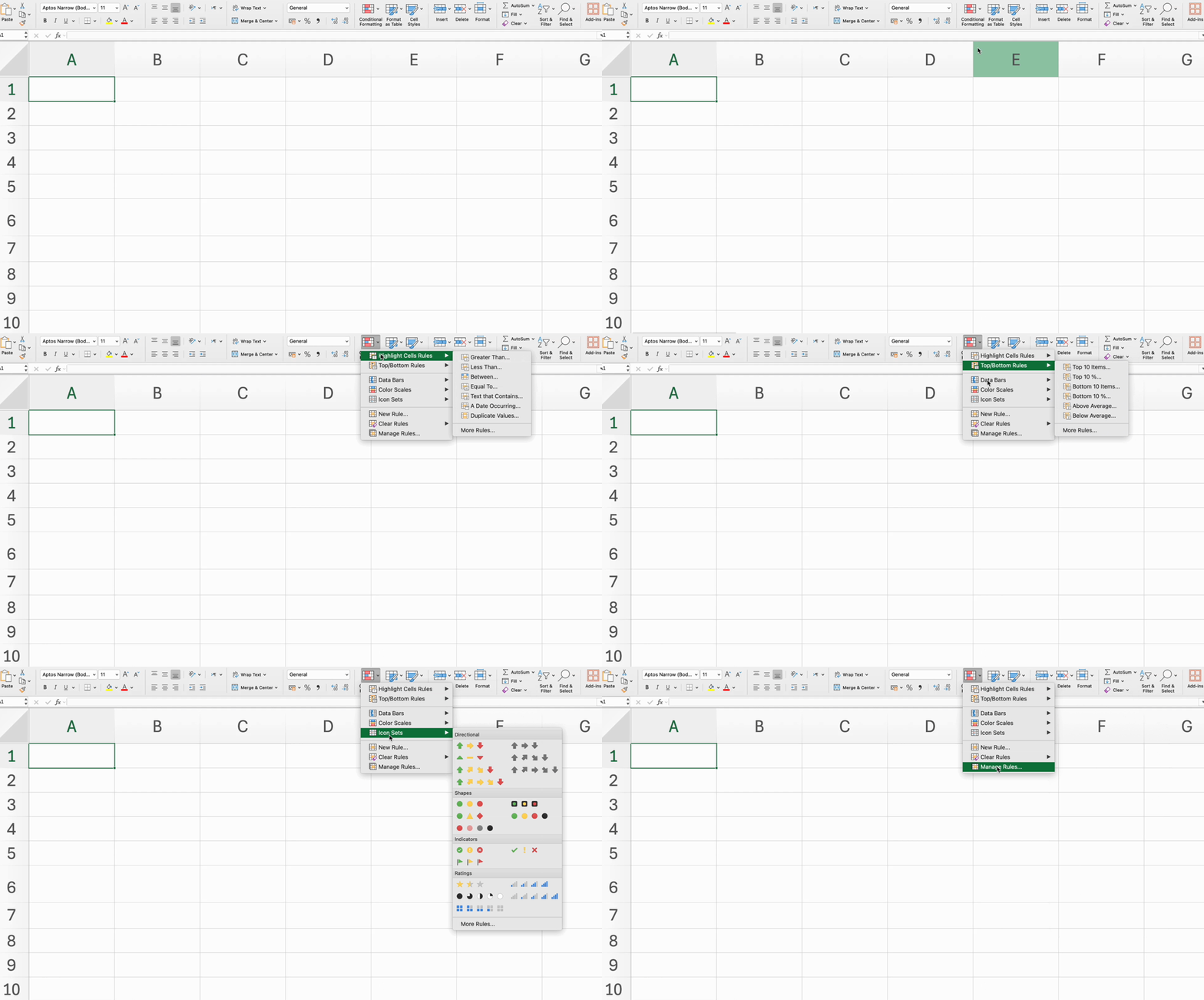
- Apply conditional formatting using the Highlight Cells Rules for specific criteria via Home tab → Styles group;
- Use the Top/Bottom Rules to format cells with the highest or lowest values;
- Add Data Bars to visually represent cell values;
- Apply Color Scales to show value ranges with a gradient of colors;
- Use Icon Sets to represent different values with icons.
Everything was clear?
Thanks for your feedback!
Section 1. Chapter 16
Ask AI

Ask AI

Ask anything or try one of the suggested questions to begin our chat
