Challenge: Create Form with Inputs and Labels
Swipe to show menu
Goal
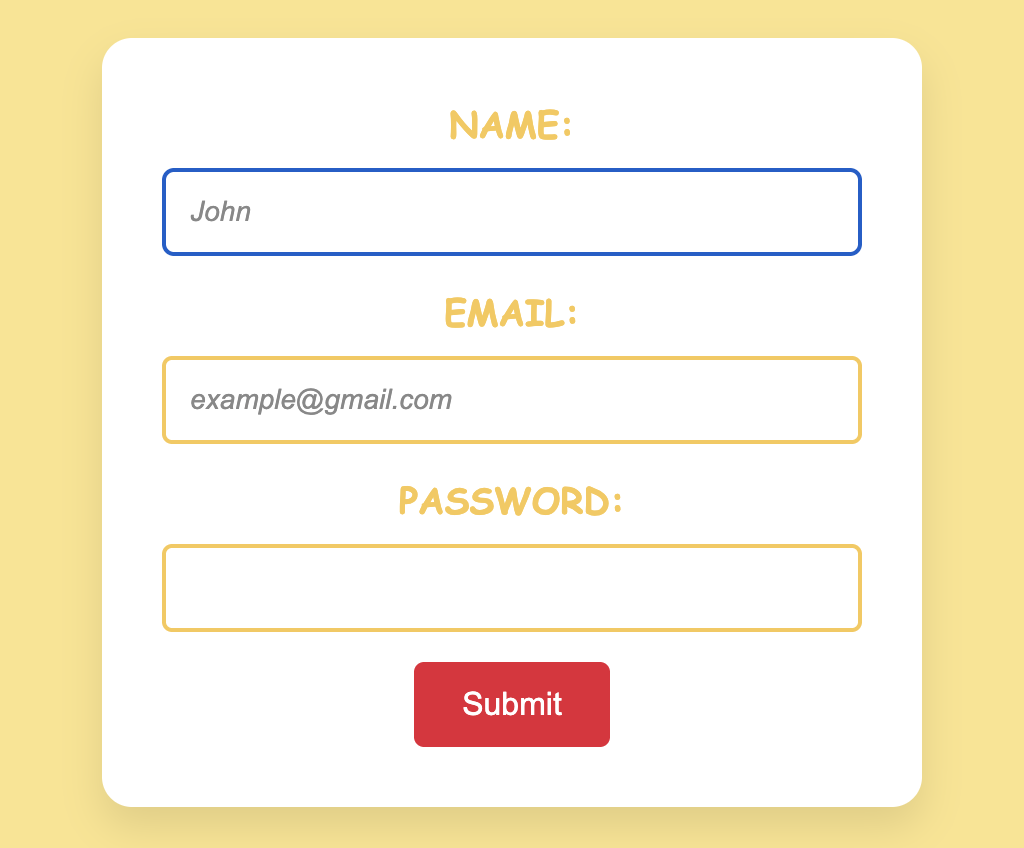
Elevate the website's user experience by creating an interactive form that requires inputs for name, email, and password, complete with associated labels.
Task
Add a simple, user-friendly form to your page. Follow these requirements:
- Name input
- Use a text input.
- Set the placeholder to
John. - Make the input focused by default (autofocus).
- Email input
- Use an email input.
- Set the placeholder to
example@gmail.com. - Mark the field as required.
- Password input
- Use a password input.
- Make this field required.

index.html

index.css
Hint

autofocus: automatically focuses the input field when the page loads;required: marks the input field as mandatory, preventing form submission if left empty;placeholder: provides hint or example text for the input field;forandid: associate a label with an input field for improved accessibility;type: specifies the type of data expected in the input field, such as text, email, or password.
Solution
<!DOCTYPE html>
<html lang="en">
  <head>
    <link rel="stylesheet" href="index.css" />
  </head>
  <body>
    <form onsubmit="return false">
      <label for="name">Name:</label>
      <input type="text" id="name" name="name" placeholder="John" autofocus />

      <label for="email">Email:</label>
      <input
        type="email"
        id="email"
        name="email"
        placeholder="example@gmail.com"
        required
      />

      <label for="password">Password:</label>
      <input type="password" id="password" name="password" required />

      <button type="submit">Submit</button>
    </form>
  </body>
</html>
Everything was clear?
Thanks for your feedback!
Section 1. Chapter 27
Ask AI

Ask AI

Ask anything or try one of the suggested questions to begin our chat
Section 1. Chapter 27
