Using Named Ranges in Data Validation
Swipe to show menu
A named range is a label you assign to a cell or a group of cells. Instead of writing =$A$2:$A$5 in your validation source, you write =RegionList — and Excel knows exactly what you mean.
Setting Up a Named Range for Regions
Step 1 — Add the list to the Lists sheet:
- Go to the
Listssheet; - In column
C, add the following:- C1:
East - C2:
West - C3:
North - C4:
South
- C1:

Since the named ranges are used, you don't necessarily need to have headings, but you can keep them for your convenience. In this example, the headings won’t be used within these small cell ranges.
Step 2 — Create the named range:
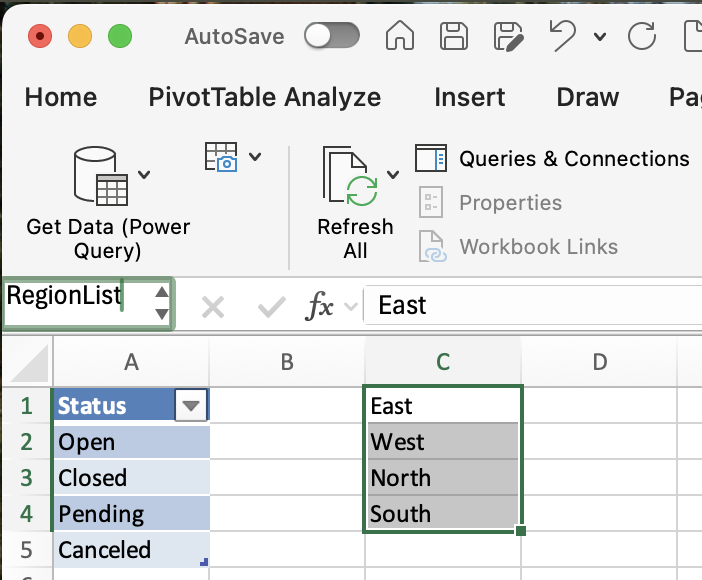
- Select cells
C1:C4; - Click the Name Box (top-left, where the cell address is shown);
- Type
RegionListand press Enter.
That's it — RegionList now points to those four cells.
Step 3 — Use it in Data Validation:
- Go to the main sheet and select the Region column cells;
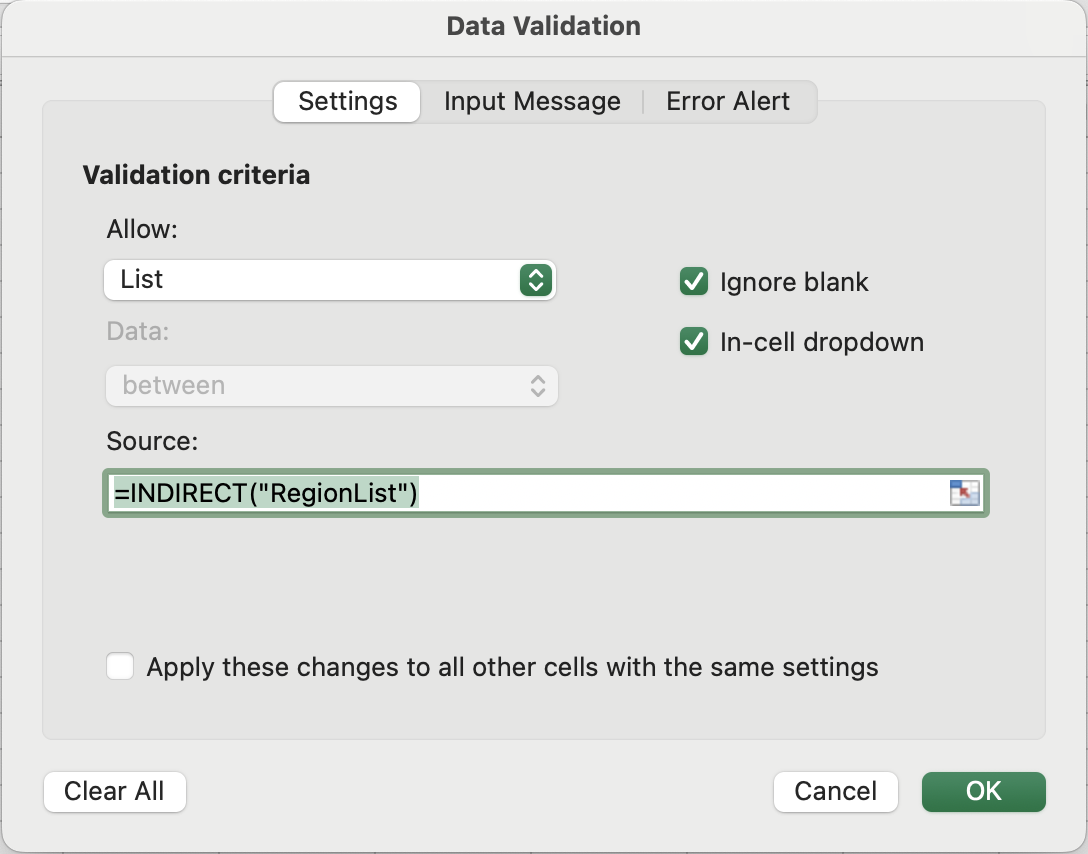
- Open Data Validation → Settings → List;
- In Source, type:
=INDIRECT("RegionList"); - Click OK.
The dropdown now shows East, West, North, South — pulled from the named range.
The Key Limitation
Here's where named ranges show their weakness. The range RegionList points to exactly $C$1:$C$4 — four fixed cells. If you add a fifth region, say Central, in cell C5, it will not appear in the dropdown.
Try it:
- Go to the
Listssheet and typeCentralinC5; - Go back to the main sheet and click the Region dropdown;
- Notice that
Centralis missing.
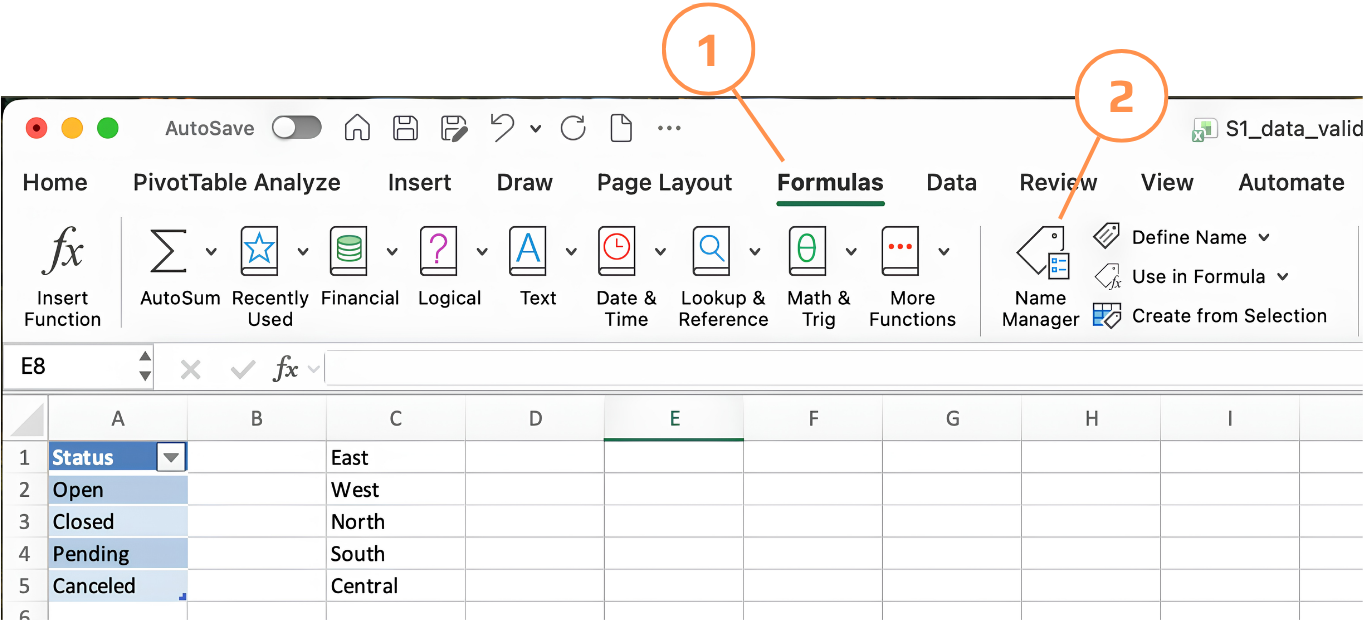
To fix it, manually expand the range:
- Go to Formulas → Name Manager;
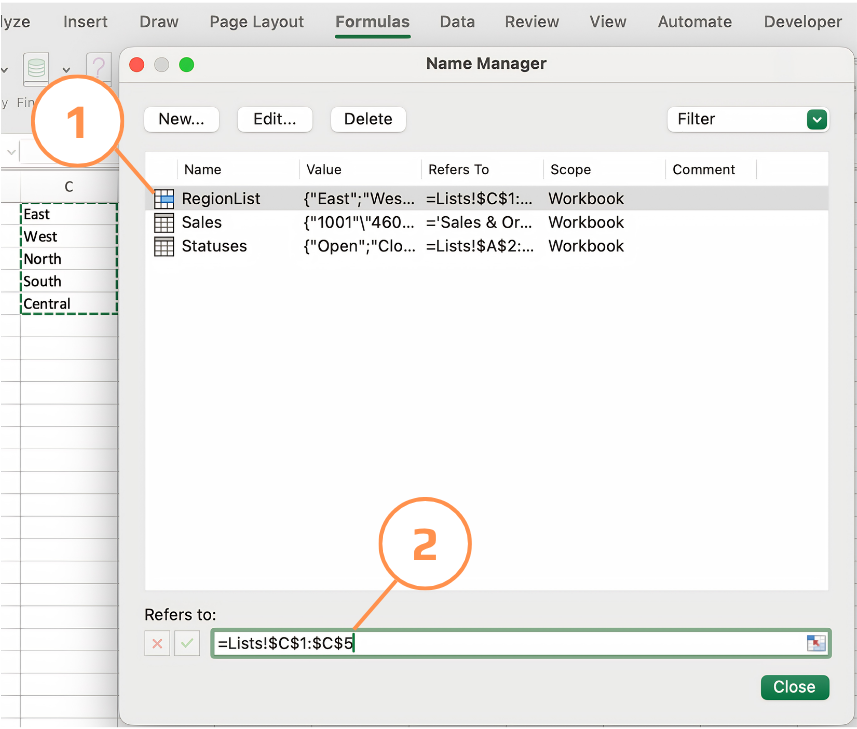
- Find
RegionListand click Edit; - Change Refers to from
=Lists!$C$1:$C$4to=Lists!$C$1:$C$5; - Click OK.
This works, but requires manual intervention every time the list grows.
Naming Rules to Remember
- No spaces — use underscores if needed:
Region_ListnotRegion List; - Can't start with a number;
- Not case-sensitive, but keep it consistent;
- Can't use names that look like cell references (e.g.,
A1,B2).
Thanks for your feedback!
Ask AI

Ask AI

Ask anything or try one of the suggested questions to begin our chat
