Gerelateerde cursussen
Bekijk Alle CursussenBeginner
Creating Custom AI Agents with Anthropic Claude
Learn how to create a fully functional MCP (Model Context Protocol) server to integrate AI models like Claude with real-world tools like Excel. Everything from core concepts to setting up your development environment and building your first working server that can analyze real data through natural language prompts. No advanced programming knowledge required, just curiosity and willingness to explore AI automation.

Beginner
Agentic AI for Automating Daily Office Tasks with Anthropic Claude
Transform your daily workflow from overwhelming busywork into streamlined productivity. Discover how AI agents can automatically manage emails, schedule meetings, create documents, and handle routine tasks that consume hours of your day. Through practical setup guides and real-world examples, master the integration of intelligent automation tools with popular platforms like Gmail, Slack, Google Calendar, and Microsoft Office. Stop drowning in repetitive work and start focusing on strategic, creative tasks that truly matter. Build your AI-powered workspace today.
Beginner
API and Protocol Design
A comprehensive theoretical course exploring the principles, design patterns, and practical considerations of API and protocol design, focusing on REST, RPC, and gRPC. This course provides a deep dive into the architectural styles, communication models, and best practices for designing robust APIs.

Model Context Protocol (MCP): The USB-C of AI Agents
How One Protocol Became the Standard for Connecting AI to Everything

by Daniil Lypenets
Full Stack Developer
May, 2026・
15 min read


Introduction
Until late 2024, every AI integration was a one-off. You wanted your assistant to read from PostgreSQL? Custom code. You wanted it to talk to Slack? Custom code. You wanted it to query GitHub? You guessed it — more custom code. Every tool, every model, every team rewrote the same wiring from scratch.
Then Model Context Protocol, or MCP, arrived. Anthropic released it as an open standard in late 2024, and within roughly eighteen months it had become the standard substrate of the entire agent ecosystem. OpenAI adopted it. Google, Microsoft, AWS — all on board. The protocol is now governed by the Linux Foundation under the Agentic AI Foundation.
The nickname stuck almost instantly:
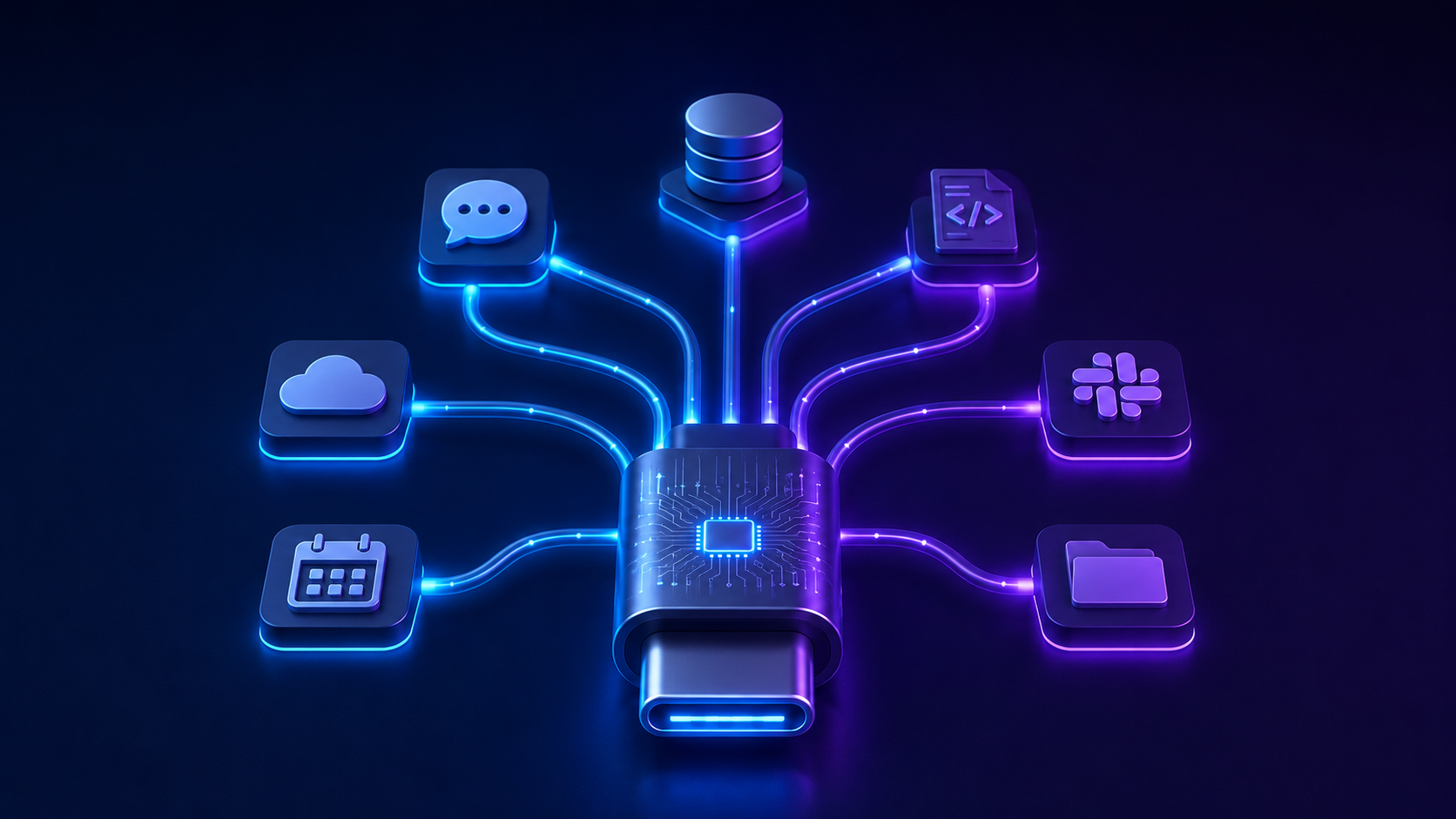
MCP is the USB-C of AI. One connector. One standard. Plug anything into anything.
This article explains what MCP actually is, why it took over so fast, how to build with it, and when it is the right tool for your project.
The Problem MCP Solves
Before MCP, connecting an AI model to an external system meant building a custom integration for every combination of model and tool.
Consider what this looked like in practice:
- Connecting Claude to a database required Anthropic-specific function-calling code;
- Connecting GPT-4 to the same database required OpenAI-specific function-calling code;
- Switching providers meant rewriting the integration layer;
- Every new tool required N new integrations, one per model;
- Every new model required M new integrations, one per tool. The result was N × M complexity. Ten models and ten tools meant a hundred bespoke integrations. Teams spent more time on plumbing than on the actual product.
MCP collapses this to N + M. Write one MCP server for your tool, and every MCP-compatible model can use it. Add a new model to your stack, and it inherits access to every MCP server you have already built.
The moment you stop writing one-off integrations and start composing servers, you realize how much engineering time was being burned on glue code.
That is the entire pitch in one sentence.
How MCP Actually Works
MCP defines three roles in any system:
- Host — the application the user actually interacts with (Claude Desktop, Cursor, your custom AI app);
- Client — the component inside the host that speaks the MCP protocol;
- Server — a program that exposes capabilities such as tools, data, or prompts through the protocol. The host runs the LLM. The server exposes capabilities. The client connects them.
Communication happens over JSON-RPC 2.0, the same protocol that powers LSP (the Language Server Protocol that turned IDE tooling into a commodity). That choice was deliberate — LSP solved the same kind of N × M problem for editors and language tooling, and MCP applies the same playbook to AI.
Two transport mechanisms are supported:
- stdio — the server runs as a local subprocess; ideal for local tools, file system access, or developer workflows;
- Streamable HTTP — the server runs as a remote service; required for hosted SaaS tools, multi-user systems, or anything reaching beyond the local machine. Pick stdio for local use. Pick HTTP for everything else.
The Three Primitives: Tools, Resources, Prompts
An MCP server exposes capabilities through three primitives. Understanding the distinction is the difference between a clean server and a confusing one.
Tools are actions the model can take. They have side effects. Sending an email, creating a calendar event, running a query — these are tools. Each tool has a name, a description, an input schema, and a handler function. The model reads the description, decides whether to call it, and the server executes the action.
Resources are data the model can read. They have no side effects. A document, a file, a database row, a webpage — these are resources. The model retrieves them as context for reasoning.
Prompts are reusable templates that guide the model toward specific tasks. A prompt might encode the steps to summarize a meeting, translate a document, or generate a release note. Prompts are how server authors share best-practice workflows with model users.
The clean rule:
If it changes the world, it is a tool. If it describes the world, it is a resource. If it instructs the model, it is a prompt.
Most teams blur these lines on their first server and pay for it in confusing tool names and overloaded handlers. Get the categorization right early.
Run Code from Your Browser - No Installation Required

Run Code from Your Browser - No Installation Required
Building Your First MCP Server
Let's look at what writing an MCP server actually looks like. The official Python SDK provides a thin abstraction over the protocol, and a minimal server fits in a few lines.
from mcp.server.fastmcp import FastMCP

mcp = FastMCP("weather-server")

@mcp.tool()
def get_current_weather(city: str) -> str:
    """Return the current weather for the specified city."""
    # Real implementation would call a weather API
    return f"Sunny, 22°C in {city}"

if __name__ == "__main__":
    mcp.run()
That is the entire server. The decorator registers get_current_weather as an MCP tool, the docstring becomes the tool description the model sees, and the type hints define the input schema. Run this script, point any MCP-compatible client at it, and the model can now call your function.
A few things worth noticing:
- Documentation is part of the protocol. The docstring is not for humans — it is what the model reads to decide whether to call the tool. Write it as if you were briefing a junior developer;
- Type hints define behavior. The input schema is generated from your function signature. The model uses this to construct valid calls;
- No model-specific code. Nothing in this server mentions Claude, GPT, or Gemini. The same server works with all of them. For production, you would add error handling, authentication, observability, and proper async patterns. But the core mental model stays the same: declare capabilities, let the protocol handle the rest.
MCP vs Traditional API Integration
Once you understand MCP, the comparison with classic API integration becomes clear.
| Aspect | Traditional Function Calling | MCP |
|---|---|---|
| Per-model code | Yes — separate logic for each provider | No — one server, many clients |
| Tool discovery | Hard-coded at integration time | Dynamic at runtime |
| Schema definition | Provider-specific format | Standard JSON Schema |
| Reusability | Limited to one application | Cross-application by design |
| Ecosystem | Closed, vendor-controlled | Open, community-driven |
| Authentication | Bespoke per integration | Standard OAuth 2.1 patterns |
The practical takeaway is not that traditional function calling is bad. For a one-off integration with no plans to switch models or share tooling, custom code is perfectly fine.
MCP becomes a multiplier when:
- You build or use multiple AI applications in your stack;
- You expect to switch models as the landscape evolves;
- You want to share tooling across teams or with the community;
- You are building a tool that others might want to consume. If any of those apply, the protocol pays for itself almost immediately.
Start Learning Coding today and boost your Career Potential
When MCP Is the Right Choice (and When It Isn't)
MCP is not the answer to every AI integration question.
Use it when:
-
You are building an agentic application that needs to interact with external systems;
-
Your tool will be used across multiple AI clients;
-
You want a clean separation between AI logic and business logic;
-
You are building internal infrastructure that multiple teams will consume. Skip it when:
-
You are building a simple chatbot with no tool use;
-
Your integration is one-shot and disposable;
-
Latency budget is so tight that even one extra hop is unacceptable;
-
The model is the entire product, not a component of a larger system. The most common mistake teams make is reaching for MCP too early. If you are still figuring out what your AI feature even does, hard-code the integration. Migrate to MCP once you know the shape of your tool surface and want it to live longer than the current experiment.
The second-most-common mistake is the opposite: building production AI products on bespoke integrations because "we will refactor later". Six months later, the team is drowning in glue code and the migration is twice as expensive as it would have been originally.
The right time to adopt MCP is right before you would have written your second model-specific integration.
The Future of MCP
The protocol is no longer Anthropic's project. Governance now lives with the Agentic AI Foundation under the Linux Foundation, with OpenAI and Block as co-founders. That structural change matters more than any technical update — it means MCP is now ecosystem infrastructure, not a vendor play.
Several developments are shaping the next phase:
- A2A protocol integration. While MCP defines how agents talk to tools, A2A (Agent-to-Agent) defines how agents talk to each other. The two protocols are designed to compose;
- Enterprise readiness. Audit trails, centralized auth, gateway patterns — the missing pieces for regulated industries are being filled in;
- Interactive UI surfaces. Server-rendered components inside the host application, letting MCP servers expose dashboards and visualizations, not just text and JSON;
- Tasks for long-running operations. Background jobs that exceed a single request-response cycle, with progress reporting and resumption. The direction is clear: MCP is moving from a developer convenience to enterprise infrastructure.
Start Learning Coding today and boost your Career Potential
Conclusion
MCP started as a clean fix to a boring problem — stop writing the same integration ten times. That fix turned out to matter more than anyone expected, because it became the substrate on which the agent ecosystem now grows.
For developers, the practical lesson is simple. Learn the protocol. Build a server, even a small one. The mental shift from "integrating an AI with my tool" to "exposing my tool to any AI" is short but powerful. Once it clicks, you stop seeing AI as something you wire into your app and start seeing it as something your app makes itself available to.
The teams that internalize this shift early will be building on a fundamentally different abstraction than the teams that don't.
That gap is the one worth closing now.
FAQ
Q: What is MCP in one sentence?
A: MCP is an open standard that defines how AI applications connect to external tools and data sources, so a single integration works across every compatible model.
Q: Do I need MCP if I am only using one AI provider?
A: Not strictly. But model lock-in is one of the riskier bets in 2026, and MCP makes switching cheap. If your product depends on AI, that flexibility is worth the small upfront cost.
Q: Is MCP only for Claude?
A: No. Anthropic created the protocol, but OpenAI, Google, Microsoft, and AWS have all adopted it. MCP servers work across every major provider.
Q: How is MCP different from function calling?
A: Function calling is a model-specific feature that lets an LLM invoke code you wrote for it. MCP is a model-agnostic protocol that lets any LLM invoke code anyone wrote. Function calling is the mechanism; MCP is the standard.
Q: Can I run MCP servers locally?
A: Yes. The stdio transport is designed for exactly this. Local development tools, file access, and developer utilities are common stdio use cases.
Q: How do I authenticate MCP servers?
A: For local servers, the stdio transport runs under your local user permissions. For remote servers, MCP uses OAuth 2.1 patterns. Both approaches are covered in the official specification.
Q: Is MCP production-ready?
A: Yes, for many use cases. Major SaaS platforms now ship official MCP servers, and the protocol is governed by the Linux Foundation. For regulated industries with strict audit requirements, watch the Enterprise Working Group developments before going all-in.
Was dit artikel nuttig?
Delen:
Was dit artikel nuttig?
Delen:
Gerelateerde cursussen
Bekijk Alle CursussenBeginner
Creating Custom AI Agents with Anthropic Claude
Learn how to create a fully functional MCP (Model Context Protocol) server to integrate AI models like Claude with real-world tools like Excel. Everything from core concepts to setting up your development environment and building your first working server that can analyze real data through natural language prompts. No advanced programming knowledge required, just curiosity and willingness to explore AI automation.
Beginner
Agentic AI for Automating Daily Office Tasks with Anthropic Claude
Transform your daily workflow from overwhelming busywork into streamlined productivity. Discover how AI agents can automatically manage emails, schedule meetings, create documents, and handle routine tasks that consume hours of your day. Through practical setup guides and real-world examples, master the integration of intelligent automation tools with popular platforms like Gmail, Slack, Google Calendar, and Microsoft Office. Stop drowning in repetitive work and start focusing on strategic, creative tasks that truly matter. Build your AI-powered workspace today.
Beginner
API and Protocol Design
A comprehensive theoretical course exploring the principles, design patterns, and practical considerations of API and protocol design, focusing on REST, RPC, and gRPC. This course provides a deep dive into the architectural styles, communication models, and best practices for designing robust APIs.
AI Agent Observability
Beyond Traditional APM
by Daniil Lypenets
Full Stack Developer
May, 2026・14 min read
A2A Protocol
How AI Agents Talk to Each Other
by Daniil Lypenets
Full Stack Developer
May, 2026・13 min read
Inhoud van dit artikel
