Cursos relacionados
Ver Todos os CursosIntermediário
Git Essentials
Git is the most popular version control system used by millions of developers around the globe. Whether you're a seasoned developer or a beginner, this course will equip you with the knowledge and skills needed to efficiently manage your software projects, collaborate with others, and master the art of version control.

Iniciante
AI Automation Workflows with n8n
n8n is a flexible automation platform for connecting apps, transforming data, and building AI-powered workflows. You'll develop strong fundamentals through real, practical examples, covering triggers, JSON handling, data-flow theory, AI integration, webhooks, and complete automation builds. The focus is on understanding how information moves through a workflow and how to structure that information so nodes and APIs behave predictably. The result is the ability to design, debug, and ship reliable automations that work end to end.

Top 10 Open Source Tools That Feel Illegal

by Ihor Gudzyk
C++ Developer
Feb, 2026・
12 min read


n8n
n8n is what happens when someone looks at expensive automation platforms and says, we can build this better and open-source it.
It is a workflow automation tool similar to Zapier or Make, but fully extensible and self-hostable. You can connect APIs, build multi-step workflows, add conditions, run JavaScript inside nodes, and automate complex business logic without paying per task.

Why it feels illegal: You get enterprise-grade automation infrastructure, unlimited workflows, full control over your data, and no recurring SaaS bill. For developers and system builders, it feels like unlocking a backend superpower.
GIMP
GIMP is a professional-grade image editor that rivals expensive design software. It supports advanced photo manipulation, layer-based editing, custom brushes, plugins, and complex color correction workflows.
It may not have the marketing budget of commercial alternatives, but under the hood it delivers serious editing power for designers, photographers, and content creators.
| Capability | What It Means in Practice |
|---|---|
| Photo Retouching | Remove blemishes, fix lighting, adjust colors, enhance details |
| Layer-Based Editing | Work non-destructively using layers, masks, and blending modes |
| Graphic Design | Create social media posts, thumbnails, banners, UI mockups |
| Custom Brushes & Plugins | Extend functionality with community-built tools |
| Image Manipulation | Composite multiple images into one seamless result |
| Advanced Color Control | Use curves, levels, LUTs, and channel adjustments |
| File Format Support | Open and export PSD, PNG, JPEG, TIFF, and more |
You get a full Photoshop-level toolkit without subscriptions, cloud lock-in, or monthly fees. For anyone building visuals regularly, it removes the paywall from professional design.
Blender
Blender is a full 3D creation suite used for modeling, animation, rendering, simulations, and even video editing. It is not a limited free tool, it is a production-ready pipeline used in films, games, and product visualization.
From sculpting detailed characters to rendering cinematic scenes with realistic lighting, Blender delivers Hollywood-level capabilities on a laptop.
Wireshark
Wireshark is a deep network protocol analyzer that lets you see exactly what is happening inside your network traffic. It captures packets in real time and breaks them down into readable data, showing protocols, headers, payloads, and connection details.
For developers, security engineers, and IT professionals, it is like having X-ray vision for the internet.
- Capture live network traffic and inspect data packets in real time
- Analyze hundreds of protocols including HTTP, TCP, DNS, and SSL
- Troubleshoot connection issues by identifying failed requests and errors
- Detect suspicious activity and investigate potential security threats
- Apply advanced filters to isolate specific conversations or IP addresses
- Diagnose performance bottlenecks and latency problems
Run Code from Your Browser - No Installation Required

Metabase
Metabase is an open-source business intelligence platform that turns raw database data into clean dashboards in minutes. Connect it to PostgreSQL, MySQL, or other databases, and instantly build charts, reports, and visual analytics.
It feels less like a free tool and more like a lightweight internal analytics department.
You get enterprise-level analytics and reporting, something companies typically pay thousands per year for, completely free and self-hostable.
Obsidian
Obsidian is a local-first knowledge management system built around Markdown files and bi-directional linking. Instead of storing your ideas in the cloud, it keeps everything on your device, fully under your control.
It transforms simple notes into a connected knowledge graph, turning scattered thoughts into a structured second brain.
- Create interconnected notes using bi-directional links;
- Visualize your knowledge graph to see idea relationships;
- Write in plain Markdown with full formatting control;
- Use plugins and themes to extend functionality;
- Store everything locally with no forced cloud dependency;
- Build a personal wiki for research, learning, or projects.
You get a private, extensible knowledge engine that rivals expensive productivity systems, while your data stays entirely yours.
Krita
Krita is a professional digital painting and illustration tool built specifically for artists. Unlike general-purpose editors, it focuses on drawing, concept art, comics, and animation workflows.
It delivers studio-level illustration capabilities without subscriptions or feature restrictions.
| Capability | What It Means in Practice |
|---|---|
| Advanced Brush Engine | Create custom brushes with detailed texture and pressure control |
| Layer & Mask System | Work non-destructively with full compositing options |
| 2D Animation Tools | Produce frame-by-frame animations directly inside the app |
| Color Management | Use professional color spaces for print and digital |
| Comics & Panel Tools | Design comic layouts with built-in panel assistants |
| Stabilizers & Assistants | Draw clean lines using perspective and shape guides |
Audacity
Audacity is a powerful open-source audio editor used for recording, editing, cleaning, and exporting professional-quality sound. It supports multi-track editing, effects, plugins, and detailed waveform manipulation.
For podcasters, YouTubers, musicians, and developers, it provides studio-level audio control without expensive DAW subscriptions.
You get a complete audio production toolkit that rivals paid editing software, entirely free and open-source.
Start Learning Coding today and boost your Career Potential
Ghidra
This is not a toy tool. It is a serious software analysis platform used by security researchers, malware analysts, and low-level engineers.
Ghidra is a professional-grade reverse engineering suite originally developed by the NSA and later released as open-source software. It allows you to analyze compiled binaries and understand how programs work internally.
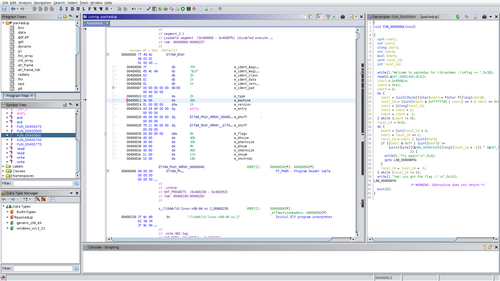
- Disassemble compiled programs into readable assembly code
- Decompile binaries into higher-level pseudo C-like code
- Analyze malware behavior safely in a controlled environment
- Inspect memory structures and function calls
- Understand proprietary file formats and protocols
- Debug and explore executable internals without source code
You get access to advanced reverse engineering capabilities typically associated with intelligence agencies and high-end security labs, completely free and open-source.
Home Assistant
Home Assistant is an open-source home automation platform that gives you full control over your smart devices without relying on cloud subscriptions. It runs locally and connects lights, thermostats, cameras, sensors, and more into one unified system.
Instead of being locked into one ecosystem, you build your own.
You get a complete smart home infrastructure that rivals premium ecosystems, while keeping your data private and avoiding recurring subscription fees.
FAQs
Q: Are these tools really free?
A: Yes. All of them are open-source software, which means you can download, use, and modify them without paying licensing fees. Some may offer optional paid services or hosting, but the core tools are free.
Q: Are open-source tools safe to use?
A: Generally, yes. Open-source projects are publicly auditable, which often makes them more transparent than proprietary software. As with any software, you should download from official sources and keep it updated.
Q: Why do these tools feel so powerful compared to paid alternatives?
A: Many open-source projects are built by highly skilled communities or industry professionals solving real problems. They focus on functionality rather than monetization layers, which results in extremely capable tools.
Q: Do I need technical skills to use them?
A: It depends on the tool. Some, like GIMP or Audacity, are beginner-friendly. Others, like Ghidra or Wireshark, require technical knowledge and experience to use effectively.
Q: Can businesses rely on open-source tools in production?
A: Absolutely. Many startups and enterprises run critical infrastructure on open-source software. The key is proper configuration, maintenance, and understanding the tool’s capabilities.
Q: Why would companies charge thousands for similar tools?
A: Paid tools often include managed hosting, customer support, compliance guarantees, and enterprise integrations. Open-source tools give you the power, but you manage the setup yourself.
Este artigo foi útil?
Compartilhar:
Este artigo foi útil?
Compartilhar:
Cursos relacionados
Ver Todos os CursosIntermediário
Git Essentials
Git is the most popular version control system used by millions of developers around the globe. Whether you're a seasoned developer or a beginner, this course will equip you with the knowledge and skills needed to efficiently manage your software projects, collaborate with others, and master the art of version control.
Iniciante
AI Automation Workflows with n8n
n8n is a flexible automation platform for connecting apps, transforming data, and building AI-powered workflows. You'll develop strong fundamentals through real, practical examples, covering triggers, JSON handling, data-flow theory, AI integration, webhooks, and complete automation builds. The focus is on understanding how information moves through a workflow and how to structure that information so nodes and APIs behave predictably. The result is the ability to design, debug, and ship reliable automations that work end to end.
The 80 Top Java Interview Questions and Answers
Key Points to Consider When Preparing for an Interview

by Daniil Lypenets
Full Stack Developer
Apr, 2024・30 min read
Top 50 Python Interview Questions for Data Analyst
Common Python questions for DA interview

by Ruslan Shudra
Data Scientist
Apr, 2024・27 min read

The 50 Top SQL Interview Questions and Answers
For Junior and Middle Developers

by Oleh Lohvyn
Backend Developer
Apr, 2024・31 min read

Conteúdo deste artigo
