Gerelateerde cursussen
Bekijk Alle Cursussen
How Python's GIL Works
Why a single lock defines the threading behavior of every CPython program – and what to do about it.
by Arsenii Drobotenko
Data Scientist, Ml Engineer
Mar, 2026・
18 min read


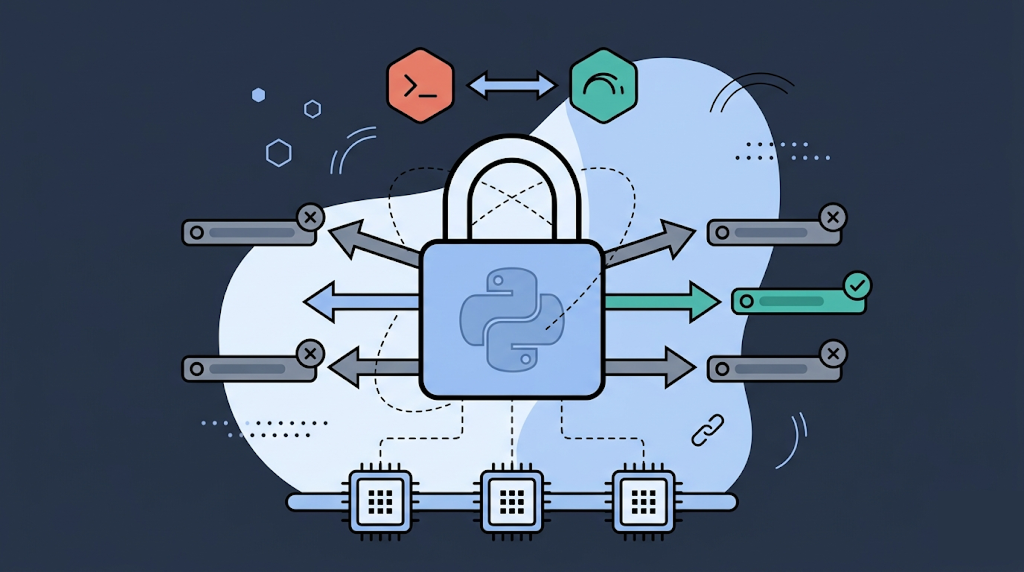
If you have ever written a multithreaded Python program and found that it ran no faster – or even slower – than the single-threaded version, you have already encountered the GIL. The Global Interpreter Lock is one of the most discussed and least understood parts of CPython. It is blamed for performance problems it does not cause, credited with safety it provides only partially, and misunderstood by developers who reach for threads when they should not.
This article explains what the GIL actually is, why CPython has one, what it prevents and what it does not, and how to write concurrent Python that works with the GIL instead of fighting it.
What the GIL Is
The Global Interpreter Lock is a mutex – a mutual exclusion lock – inside CPython's runtime. It ensures that only one thread executes Python bytecode at a time, regardless of how many CPU cores are available or how many threads your program creates.
This is not a Python language requirement. It is an implementation detail of CPython, the reference interpreter. Jython (Python on the JVM) and IronPython (.NET) do not have a GIL. PyPy has its own GIL. But CPython – the python binary you almost certainly use – has had one since the early 1990s, and it shapes every concurrent Python program you write.
Why CPython Has a GIL
The GIL exists because of CPython's memory management model. CPython uses reference counting to track when objects can be freed. Every Python object has a ob_refcnt field that increments when something points to the object and decrements when the reference goes away. When the count reaches zero, the object is deallocated.
import sys

x = []
print(sys.getrefcount(x))  # 2: one for x, one for getrefcount's argument

y = x
print(sys.getrefcount(x))  # 3: x, y, and getrefcount's argument
Reference counting is simple and deterministic, but it is not thread-safe. If two threads simultaneously modify ob_refcnt on the same object, the count becomes corrupted – the object either leaks (count too high) or is freed while still in use (count too low, causing a crash or memory corruption).
Making every individual reference count operation thread-safe with fine-grained locks would be correct, but extremely expensive – the overhead of acquiring and releasing locks on every attribute access, function call, and object creation would dwarf the cost of the operations themselves. The GIL is a coarser, cheaper solution: protect the entire interpreter with one lock, and reference counting is automatically safe.
The decision was pragmatic and made when Python was young. Guido van Rossum has explained that the GIL made it significantly easier to integrate C extensions, which could simply assume single-threaded execution within the interpreter. The C extension ecosystem – NumPy, SciPy, and most of the scientific Python stack – was built on this assumption.
What the GIL Actually Prevents
The GIL prevents true parallel execution of Python bytecode across multiple threads. On a machine with 8 cores, a CPython program running 8 threads executes exactly as much Python bytecode per unit of time as a program running 1 thread. The other 7 threads are waiting for the lock.
This matters specifically for CPU-bound work: computation that keeps the CPU busy. Sorting a large list, running a tight loop, parsing a file – these tasks are limited by how fast the CPU can execute Python bytecode, and the GIL ensures only one thread does that at a time.
import threading
import time

def count_down(n):
    while n > 0:
        n -= 1

n = 50_000_000

# Single-threaded
start = time.time()
count_down(n)
print(f"Single-threaded: {time.time() - start:.2f}s")

# Two threads – NOT faster due to GIL
t1 = threading.Thread(target=count_down, args=(n // 2,))
t2 = threading.Thread(target=count_down, args=(n // 2,))
start = time.time()
t1.start(); t2.start()
t1.join(); t2.join()
print(f"Two threads: {time.time() - start:.2f}s")
The two-thread version is not twice as fast – it is roughly the same speed, or slower due to lock contention overhead.
Run Code from Your Browser - No Installation Required

What the GIL Does Not Prevent
The GIL does not prevent all race conditions. It guarantees that only one thread executes bytecode at a time, but the GIL is released and reacquired regularly – by default, every 5 milliseconds (in Python 3.2+, based on a "check interval" rather than instruction count). During the window between releases, a thread switch can occur at any bytecode boundary.
Operations that look atomic in Python source code are not necessarily atomic at the bytecode level:
# This looks like one operation but is not atomic
counter += 1

# Bytecode breakdown:
# LOAD_GLOBAL  counter       <- thread can be interrupted here
# LOAD_CONST   1
# INPLACE_ADD                <- and here
# STORE_GLOBAL counter       <- or here
A thread switch between LOAD_GLOBAL and STORE_GLOBAL produces a lost update. The GIL does not prevent this – it only prevents two threads from running bytecode simultaneously, not from interleaving at bytecode boundaries.
For shared mutable state, you still need explicit synchronization:
import threading

counter = 0
lock = threading.Lock()

def safe_increment():
    global counter
    with lock:
        counter += 1
How the GIL Is Released
The GIL does not stay held through blocking operations. CPython releases the GIL during:
- I/O operations (file reads, network calls,
time.sleep); - calls into C extensions that explicitly release it;
subprocesscalls and system-level waits.
This is why threading works well for I/O-bound workloads. When thread A is waiting for a network response, it has released the GIL, so thread B can run Python bytecode in the meantime.
import threading
import urllib.request
import time

urls = [
    "https://httpbin.org/delay/1",
    "https://httpbin.org/delay/1",
    "https://httpbin.org/delay/1",
]

def fetch(url):
    urllib.request.urlopen(url)

# Sequential – ~3 seconds
start = time.time()
for url in urls:
    fetch(url)
print(f"Sequential: {time.time() - start:.1f}s")

# Threaded – ~1 second (GIL released during network wait)
start = time.time()
threads = [threading.Thread(target=fetch, args=(url,)) for url in urls]
for t in threads: t.start()
for t in threads: t.join()
print(f"Threaded: {time.time() - start:.1f}s")
NumPy and SciPy also release the GIL during their core array operations, which is why multithreaded numerical code can achieve real parallelism despite the GIL.
Working Around the GIL
The standard approaches fall into three categories depending on the workload.
CPU-Bound Work: Use Multiprocessing
The multiprocessing module launches separate Python processes, each with its own interpreter and its own GIL. There is no shared memory between processes by default, so there is no GIL contention.
from multiprocessing import Pool
import time

def cpu_task(n):
    """Simulates CPU-bound work."""
    result = 0
    for i in range(n):
        result += i * i
    return result

if __name__ == "__main__":
    tasks = [5_000_000] * 4

    # Single process
    start = time.time()
    results = [cpu_task(n) for n in tasks]
    print(f"Single process: {time.time() - start:.2f}s")

    # Multiprocessing pool – 4 workers, 4 cores utilized
    start = time.time()
    with Pool(processes=4) as pool:
        results = pool.map(cpu_task, tasks)
    print(f"4 processes: {time.time() - start:.2f}s")
The cost is process startup overhead and the need to serialize data when passing it between processes (via pickle). For fine-grained tasks, this overhead dominates. For coarse-grained CPU-bound tasks, multiprocessing provides genuine parallelism.
concurrent.futures.ProcessPoolExecutor offers a cleaner API for the same approach:
from concurrent.futures import ProcessPoolExecutor

with ProcessPoolExecutor(max_workers=4) as executor:
    results = list(executor.map(cpu_task, tasks))
I/O-Bound Work: Use Threading or asyncio
For work dominated by waiting – HTTP requests, database queries, file I/O – the GIL is not a meaningful constraint because it is released during the wait. Both threading and asyncio are appropriate here.
asyncio is generally preferred for modern I/O-bound code because it scales better (thousands of concurrent coroutines are cheaper than thousands of threads) and makes concurrency explicit in the code structure:
import asyncio
import aiohttp

async def fetch(session, url):
    async with session.get(url) as response:
        return await response.text()

async def main():
    urls = ["https://example.com"] * 10
    async with aiohttp.ClientSession() as session:
        tasks = [fetch(session, url) for url in urls]
        results = await asyncio.gather(*tasks)
    return results

asyncio.run(main())
Threading remains useful for I/O-bound code that uses blocking APIs (legacy libraries, urllib, sqlite3) that do not have async equivalents.
Calling C Extensions That Release the GIL
If you are writing a C extension or using Cython, you can release the GIL explicitly for computationally intensive sections that do not touch Python objects:
# Cython example
from cython.parallel import prange

def parallel_sum(double[:] arr):
    cdef double total = 0.0
    cdef int i

    with nogil:  # Release the GIL
        for i in prange(len(arr), nogil=True):
            total += arr[i]

    return total
This is how NumPy, SciPy, and most high-performance Python libraries achieve real CPU parallelism: the Python layer holds the GIL, but the heavy computation runs in C with the GIL released.
The GIL in Python 3.12 and Beyond
Python 3.12 introduced PEP 684: per-interpreter GIL. Previously, all sub-interpreters within a single process shared one GIL. Starting with 3.12, each sub-interpreter has its own GIL, allowing true parallelism between interpreters within one process.
The interpreters module (still experimental as of 3.13) exposes this capability:
import _interpreters  # Experimental API in 3.12/3.13

# Each interpreter has its own GIL
# Communication happens via channels, not shared memory
Python 3.13 went further with PEP 703: "Making the GIL Optional." Experimental builds of CPython 3.13 can run with the GIL disabled entirely (python3.13t). Thread safety is maintained through other mechanisms – per-object locks, atomic operations, and deferred reference counting. As of 2026, this is experimental and not production-ready, but it signals the direction of travel: the GIL is not permanent.
| Workload Type | GIL Impact | Recommended Approach |
|---|---|---|
| CPU-bound (Python loops) | Severe – no parallelism | multiprocessing, ProcessPoolExecutor |
| CPU-bound (NumPy/C extensions) | None – GIL released in C | threading, NumPy vectorization |
| I/O-bound (blocking) | Minimal – GIL released during wait | threading, ThreadPoolExecutor |
| I/O-bound (async APIs) | None | asyncio with async libraries |
| Mixed CPU + I/O | Depends on ratio | asyncio + ProcessPoolExecutor for CPU parts |
Start Learning Coding today and boost your Career Potential
Conclusion
The GIL is a design decision, not a bug, and understanding it changes how you approach concurrency in Python. It prevents parallel bytecode execution but does not prevent useful concurrency – I/O-bound programs benefit from threading and asyncio regardless of the GIL, and CPU-bound programs have multiprocessing and C extension escape hatches. The arrival of per-interpreter GILs in 3.12 and optional GIL in 3.13 signals that CPython is evolving toward genuine CPU parallelism, but the practical toolkit today is well-defined: match the concurrency model to the workload, and the GIL becomes a manageable constraint rather than a wall.
FAQs
Q: Does removing the GIL mean Python will become as fast as Go or Rust for multithreaded work?
A: Not automatically. The GIL is one constraint, but Python's dynamic typing, interpreter overhead, and object model mean that raw CPU throughput per thread will still lag compiled languages. The free-threaded builds in 3.13 also show some single-threaded regression due to the overhead of finer-grained locking. The gains are most significant for programs that are already I/O-bound or that delegate heavily to C extensions.
Q: Is asyncio affected by the GIL?
A: asyncio runs on a single thread, so the GIL is largely irrelevant to it. The event loop runs one coroutine at a time, switching between them at await points. For CPU-bound work within an async program, use loop.run_in_executor with a ProcessPoolExecutor to offload computation without blocking the event loop.
Q: If I use threading for NumPy operations, do I get real parallelism?
A: Yes, for the NumPy operations themselves. NumPy releases the GIL during array computations, so multiple threads can execute NumPy code simultaneously on different cores. The Python code orchestrating the calls still runs under the GIL, but if the NumPy operations dominate execution time, you get meaningful parallelism.
Q: Should I migrate to Python 3.13's free-threaded mode now?
A: Not for production workloads yet. Free-threaded CPython (the t builds) is experimental, has known performance regressions in single-threaded code, and many popular C extensions do not yet support it. It is worth experimenting with for benchmarking and future-proofing, but the stable path for CPU parallelism today is still multiprocessing.
Was dit artikel nuttig?
Delen:
Was dit artikel nuttig?
Delen:
Gerelateerde cursussen
Bekijk Alle CursussenInhoud van dit artikel
