Corsi correlati
Guarda tutti i corsiIntermedio
Git Essentials
Git is the most popular version control system used by millions of developers around the globe. Whether you're a seasoned developer or a beginner, this course will equip you with the knowledge and skills needed to efficiently manage your software projects, collaborate with others, and master the art of version control.

Principiante
Introduction to DevOps
Learn the fundamentals of DevOps and how it streamlines software development. By the end, you'll understand key principles, automation, and version control to set up a basic DevOps workflow.

Principiante
Deployment Strategy Internals
A comprehensive course for software engineers and DevOps professionals exploring the core concepts, trade-offs, and practical applications of modern deployment strategies. Dive deep into the theory, workflow patterns, rollout techniques, and risk mitigation approaches essential for robust and reliable software delivery.
GitOps with ArgoCD: Declarative Continuous Delivery for Kubernetes
How Git became the source of truth for production infrastructure

by Daniil Lypenets
Full Stack Developer
May, 2026・
14 min read


Introduction
For most of software's history, deploying to production was an active verb. You ran a command. You pushed a button. You triggered a pipeline. Something happened to your servers because you made it happen, right then, from your machine or from a CI runner.
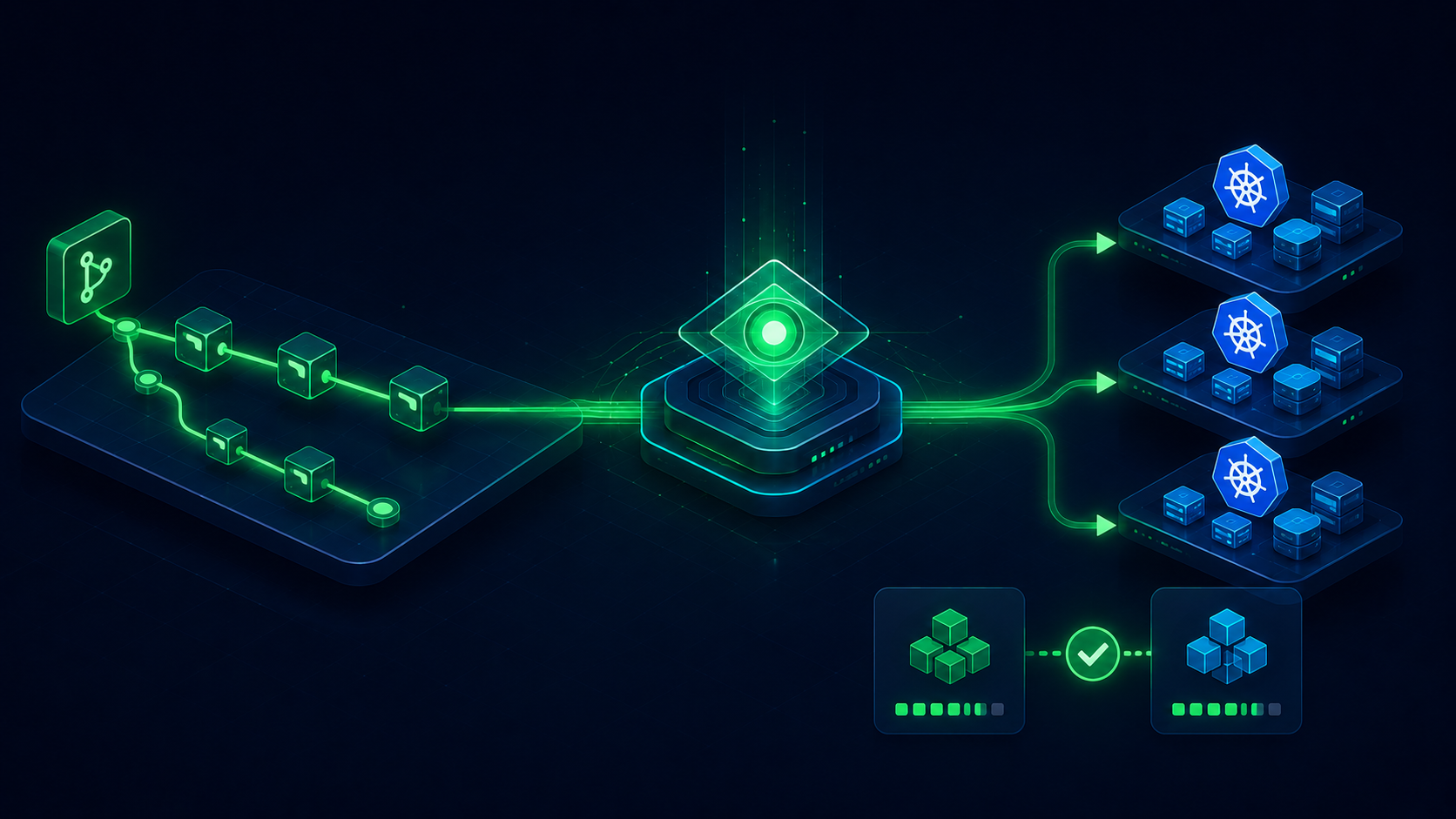
GitOps flipped that model. In GitOps, you never push anything to production. You commit a change to a Git repository, and the production environment quietly notices and updates itself to match. The deployment is not an action you take — it is a state the system continuously reconciles toward.
The most popular tool implementing this model is ArgoCD, a Kubernetes-native continuous-delivery system that has become standard in modern infrastructure. This article explains what GitOps actually means, why it solved problems classic CI/CD never quite did, and how ArgoCD turns the idea into something you can run in production.
What GitOps Actually Means
GitOps is not just "we keep our deployment configs in Git". Everybody does that. GitOps is a stricter discipline built on four principles:
- Declarative. The entire desired state of the system is described as declarative configuration, not as imperative scripts;
- Versioned and immutable. The desired state lives in a Git repository, with full history, signed commits, and protected branches;
- Pulled automatically. Software agents continuously pull the desired state from Git and apply it to the system;
- Reconciled continuously. Those agents constantly compare actual state to desired state and alert (or correct) when they drift apart. The crucial word is declarative. Classic CI/CD pipelines are imperative — they describe the steps to deploy, and rely on those steps being correct at the moment they run. GitOps describes the result you want and trusts the system to figure out how to get there.
The pipeline is what happens. The Git repository is what should be.
That distinction is what makes the model so resilient.
The Pull Model: Why It Matters
The biggest structural difference between GitOps and classic CI/CD is the direction of control.
In classic CI/CD, the pipeline pushes changes to the cluster. The CI runner has credentials. It connects out to your production environment and applies changes. This works, but it has real downsides — the CI runner needs production write access, which is a security risk, and the cluster has no way to recover if someone changes its state directly outside the pipeline.
In GitOps, an agent inside the cluster pulls changes from Git. The cluster owns its own destiny. It watches the repository, sees a new commit, decides what to apply, and applies it. No external system has push credentials to production. The cluster, not the pipeline, is the source of authority.
This model has three immediate benefits:
- Better security. Production credentials never leave the cluster. The CI runner only has write access to Git, which is a much lower-value secret;
- Automatic drift correction. If someone manually edits a Kubernetes resource — out of expediency or by accident — the agent notices the drift and corrects it back to the Git-defined state;
- Disaster recovery is trivial. Lost the cluster? Spin up a new one, point it at the same Git repo, and it rebuilds itself. These properties are why GitOps is not just a stylistic choice. The underlying model is structurally better.
Run Code from Your Browser - No Installation Required

Enter ArgoCD
ArgoCD is the most widely adopted GitOps tool for Kubernetes. It is a controller that runs inside your cluster, watches one or more Git repositories, and continuously reconciles cluster state to match what is committed.
The mental model is small enough to fit in a paragraph. You commit Kubernetes manifests (or Helm charts, or Kustomize overlays) to a Git repository. You tell ArgoCD: "here is a Git repo, here is a path inside it, here is a target namespace — keep them in sync." ArgoCD does the rest. New commit appears? It syncs. Someone deletes a pod manually? It does not panic — the deployment controller recreates the pod, and the cluster matches Git again.
ArgoCD has been the de facto Kubernetes GitOps tool for years, and in 2026 it is mature, well-documented, and supported by every major Kubernetes distribution.
Run Code from Your Browser - No Installation Required
The Application Manifest
The unit of work in ArgoCD is the Application — a Kubernetes custom resource that describes one synchronization relationship. A minimal Application looks like this:
apiVersion: argoproj.io/v1alpha1
kind: Application
metadata:
  name: my-service
  namespace: argocd
spec:
  project: default
  source:
    repoURL: https://github.com/yourorg/yourrepo
    targetRevision: main
    path: services/my-service
  destination:
    server: https://kubernetes.default.svc
    namespace: production
  syncPolicy:
    automated:
      prune: true
      selfHeal: true
That is the entire contract. You are telling ArgoCD: watch this folder in this Git repo on the main branch, and keep the resources in the production namespace synchronized with it. The prune flag deletes resources that have been removed from Git. The selfHeal flag reverts any manual changes back to the Git-defined state.
This is the whole reason GitOps is powerful. The Application manifest is itself a Kubernetes resource — which means it too can be stored in Git, version-controlled, and reviewed through pull requests. The platform that manages your deployments is itself managed the same way it manages everything else.
Sync Strategies and Drift Detection
The default sync policy in ArgoCD is manual — it tells you when Git and the cluster disagree, but waits for you to click "Sync" before applying changes. This is the safest default for teams new to GitOps.
The more advanced policy is automated sync, which applies new commits to the cluster automatically. With selfHeal: true, ArgoCD also corrects any drift between Git and the live cluster — manual kubectl edit changes get reverted in seconds.
Pick the right policy for the right environment:
- Development environments — automated sync with self-heal. Fast feedback, drift is corrected automatically;
- Staging environments — automated sync, possibly without self-heal. You want experiments to persist briefly while you investigate;
- Production environments — manual sync with required approval. Every change is reviewed and applied deliberately;
- Highly regulated production — manual sync with multi-party approval. Two engineers must approve every sync. The right answer is rarely "all automated everywhere". Sync strategy is where you encode the level of trust each environment deserves.
Start Learning Coding today and boost your Career Potential
Start Learning Coding today and boost your Career Potential
GitOps Patterns That Scale (And Ones That Don't)
A few patterns separate the GitOps setups that work at scale from the ones that collapse under their own weight.
Patterns that scale:
-
Separate config repos from code repos. Mixing them seems clever but produces noisy diffs and confusing histories. Keep one repo for application code, a separate repo (or repos) for declarative deployment config;
-
Environment per branch is an anti-pattern. Environment per directory is the pattern that works. Branches are for changes; directories are for environments;
-
Pull requests are your deployment review. The PR that changes the production directory in Git is the production deployment review. Treat it accordingly — required approvers, status checks, audit trail;
-
Promote with merges, not with builds. A change is promoted from staging to production by merging the staging directory's manifests into the production directory's manifests, not by rebuilding artifacts. Patterns that do not scale:
-
Everything in one giant repo. Once dozens of teams contribute, you spend more time managing repo permissions than shipping;
-
Imperative scripts inside Git-managed configs. If your "declarative" config requires a 200-line shell script to apply, it is not declarative. The point of GitOps is to eliminate those scripts;
-
Letting humans edit clusters directly. With
selfHeal: true, ArgoCD reverts those changes. Without it, you accumulate drift that nobody notices until something breaks. Either way, manual cluster edits are a smell; -
Auto-sync to production without review. Speed of deployment is not the same as quality of deployment. Production should never be the first place a change runs. The teams that succeed with ArgoCD treat the Git repository as the only legitimate way to change production. Once that discipline holds, everything else gets easier.
Conclusion
GitOps is not a new tool category. It is a structural decision about where the source of truth for your infrastructure lives. Once you decide it lives in Git, the rest of the operational model — security, drift detection, disaster recovery, audit — follows naturally.
For engineers, the practical takeaway is that ArgoCD removes an entire category of deployment problems by removing the deployment as an active step. The cluster syncs itself. Your job is to describe what the cluster should look like, get that description into Git, and let the controller do the work.
Once you stop deploying and start declaring, you stop debugging the deployment and start debugging the desired state.
That shift is small in description and large in practice, and it is most of why GitOps won.
FAQ
Q: Is GitOps only for Kubernetes?
A: No. The principles apply anywhere you can describe state declaratively. But the tooling — ArgoCD, Flux, and friends — is Kubernetes-native because Kubernetes itself is declarative by design. GitOps for non-Kubernetes environments is possible but less mature.
Q: How is ArgoCD different from Flux?
A: Both implement GitOps for Kubernetes. ArgoCD has a stronger UI and is easier to start with. Flux is more modular, more aligned with the GitOps Working Group's reference design, and tends to be preferred in CNCF-purist shops. Either is a fine choice; pick based on team preference.
Q: Do I still need a CI pipeline if I am using GitOps?
A: Yes. CI builds and tests your code, then writes the resulting manifests to the GitOps repo. GitOps handles deployment. CI and GitOps are complementary, not substitutes.
Q: What does "self-heal" actually do?
A: It reverts manual changes back to the Git-defined state. If someone edits a Kubernetes resource directly with kubectl edit, ArgoCD detects the drift and rewrites the resource back to match Git. This is the feature that enforces Git as the single source of truth.
Q: Should I use one ArgoCD instance per cluster or one for everything?
A: Small organizations run one ArgoCD instance that manages multiple clusters. Larger organizations often run one ArgoCD per cluster or per environment, mostly for blast-radius isolation. Either pattern works.
Q: How does GitOps handle secrets?
A: Not by storing them in Git directly. Common patterns include Sealed Secrets (encrypt them so the cluster can decrypt at runtime), external secret managers like Vault or AWS Secrets Manager wired in through Kubernetes External Secrets, or SOPS for encrypted-at-rest secrets in the repo.
Q: Can GitOps handle stateful services like databases?
A: Yes, but with care. Stateful services have data that cannot just be redeclared from Git. Use GitOps for the declarative parts (deployment specs, network policies, backup schedules) and a separate strategy for the data itself.
È utile questo articolo?
Condividi:
È utile questo articolo?
Condividi:
Corsi correlati
Guarda tutti i corsiIntermedio
Git Essentials
Git is the most popular version control system used by millions of developers around the globe. Whether you're a seasoned developer or a beginner, this course will equip you with the knowledge and skills needed to efficiently manage your software projects, collaborate with others, and master the art of version control.
Principiante
Introduction to DevOps
Learn the fundamentals of DevOps and how it streamlines software development. By the end, you'll understand key principles, automation, and version control to set up a basic DevOps workflow.
Principiante
Deployment Strategy Internals
A comprehensive course for software engineers and DevOps professionals exploring the core concepts, trade-offs, and practical applications of modern deployment strategies. Dive deep into the theory, workflow patterns, rollout techniques, and risk mitigation approaches essential for robust and reliable software delivery.

Contenuto di questo articolo
