Notice: This page requires JavaScript to function properly.
Please enable JavaScript in your browser settings or update your browser.
Web Development Courses Online with Certificate
Web Development

Web Development Courses

Choose a course that suits your goals - from the basics to advanced skills in Web Development.
4.6
Rated based on 1120 reviews.
32,892 Learners
Already enrolled
Gained skills:
.NET with C#AOS BasicsAPI Gateway BasicsAPI Gateway FiltersAPI Gateway SecurityAPI Security FundamentalsAbstract ClassesAccess ModifiersAccessibility EvaluationAccessibility and ARIA rolesAdding MarkersAdvanced CSSAdvanced Canvas TechniquesAdvanced Component PatternsAdvanced Drag-and-Drop FeaturesAdvanced Flexbox Item ControlAdvanced JavaScript ProgrammingAdvanced Positioning and Layout with CSSAdvanced Redis Data StructuresAdvanced Toastify FeaturesAdvanced TypeScript FeaturesAlert Styling and ThemingAlgorithmic ArtAlpine.js BasicsAnimation CustomizationAnimation timing and playback controlAnimation with CodeAnimation with FramesAnime.js BasicsAnime.js HelpersApplication MonitoringArray ManipulationArray Operations and Iteration TechniquesArray Searching and FilteringArrow Function TypingArrow functions and modern syntax Assistive Technology AwarenessAsync Error HandlingAsync/Await SyntaxAsynchronous APIs in Node.jsAsynchronous Error ManagementAsynchronous JavaScriptAsynchronous Programming in JavaScriptAudio Effects ProcessingAuthentication PatternsAuthentication and CRUD Functionality in Web AppsBackend DevelopmentBackend Development with Node.jsBest Practices for Non-blocking CodeBootstrap Fundamentals for Web DevelopmentBuilding Kanban BoardsBuilding Map-Based ProjectsBuilding Simple ChartsBuilding Single-Page ApplicationsBuilding UI ComponentsBuilding Whiteboard FeaturesBuilding and Testing APIsBulkhead IsolationCLI Tool and File System Programming in Node.jsCRUD OperationsCSS BasicsCSS Box ModelCSS Cascade and SpecificityCSS Flexbox FundamentalsCSS Form StylingCSS GridCSS SelectorsCSS SyntaxCSS Units and ColorsCSS transformsCSS transitionsCallback FunctionsCallback TypingCanvas API BasicsCanvas AnimationsCanvas InteractivityCanvas Object ManipulationChart AnimationsChart CustomizationChart Styling and CustomizationChart Theming and ColorsChart.js FundamentalsChart.js VisualizationChild Process ManagementCircuit Breaker PatternsCircuit BreakersClass InheritanceClean Code PracticesClean DOM PracticesClient-Server CommunicationClient-Side Routing with React RouterClipboard APICode OrganizationCommonJS ModulesComparison and Logical OperatorsComplex TypesComponent CompositionComponent Styling and ThemingComponent-Based ArchitectureComponent-Based Architecture and JSXConditional RenderingConsul Service RegistryContainer OrganizationContent and Attribute ManipulationControl FlowCreating Transitions, Animations, and TransformationsCreative CodingCustom Alert DialogsCustom Cell RenderingCustom Chart ConfigurationCustom Chart LabelsCustom Element CreationCustom Error CreationCustom EventEmittersCustom Map IconsCustom Module CreationCustom ThemingCustom Validation RulesCustomizing SortableJSCustomizing SwiperCustomizing Tailwind ThemesD3.js Element SelectionD3.js TransitionsDNS and Domain NamesDOM AnimationDOM FundamentalsDOM ManipulationDOM Manipulation and Event HandlingDashboard DesignData Binding in D3.jsData Fetching in ReactData Fetching, Routing, and UI OptimizationData TransformationData Visualization in ReactDatabase ManagementDatabase ModelingDate ArithmeticDate CalculationsDate ComparisonDate Component ManipulationDate FormattingDay.js BasicsDebugging Asynchronous CodeDebugging JavaScriptDiagram CustomizationDiagram SyntaxDiscriminated UnionsDistributed Systems Decision-MakingDrag-and-Drop UI DesignDrawing Shapes and TextDynamic Content HandlingDynamic Data Handling in ReactDynamic Data PresentationDynamic Data VisualizationDynamic Forms with React Hook FormDynamic Navigation and URL-Based RenderingDynamic StylingECharts Advanced UsageES ModulesES6 SyntaxEasing FunctionsElement Creation and RemovalElement SelectionEmbedding DiagramsEncapsulation in JavaScriptEnvironment Data AccessError Handling in Async CodeError Management in UIEureka Service RegistryEvent DelegationEvent HandlingEvent Handling in Alpine.jsEvent Handling in CanvasEvent Handling in ReactExhaustive Checking with neverFabric.js BasicsFallback StrategiesFault Tolerance DesignFile Upload FundamentalsFile Upload HandlingFile ValidationFilePond CustomizationFilePond IntegrationFilePond PluginsFlexbox Alignment and SpacingFlexbox vs CSS GridForm AccessibilityForm InteractivityForm ValidationForm Validation in ReactForm Validation with TypesForm building with MUI inputsFrontend Development PrinciplesFull Stack Web Development with Next.js 14Fullscreen APIFunction OverloadingGSAP EasingGSAP TimelinesGSAP TweeningGenerative Art TechniquesGenerics in ClassesGeolocation APIGrid Item PlacementGrid.js Table BasicsHTML DevelopmentHTML Drag & DropHTML EssentialsHTML FormsHTML Media EmbeddingHTML Text ElementsHTML5 ValidationHTML5 layout tagsHTTP and HTTPS ProtocolsHealth ChecksIP Addressing and PortsImage ManipulationInheritanceInline Error MessagingIntegrating UI Libraries with FormsIntegration Testing in SpringInteractive Audio DesignInteractive ChartsInteractive Data VisualizationInteractive GraphicsInteractive UI ElementsInteractive VisualsInteractive Web FormsInterfaces and ImplementsJSON Parsing and StringifyingJSON StructureJavaScript AnimationJavaScript Array MethodsJavaScript Charting BasicsJavaScript ClassesJavaScript ConditionalsJavaScript Data TypesJavaScript Date BasicsJavaScript Date HandlingJavaScript Design PatternsJavaScript Error HandlingJavaScript Event HandlingJavaScript Form ValidationJavaScript LoopsJavaScript Object Manipulation and StructuringJavaScript ObjectsJavaScript Runtime ConceptsJavaScript Testing FundamentalsJavaScript functions Jest BasicsKPI Dashboard DevelopmentKeyboard and Mouse EventsKeyframe animationsKeyframes and TimelinesKonva.js BasicsLayer and Group ManagementLayout and UI Component DevelopmentLeaflet.js BasicsList RenderingLitElement Reactive TemplatingLocalization and Time ZonesLogging Framework ConfigurationMUI component developmentManaging Application StateMap InitializationMasonry.js InitializationMermaid.js BasicsMeta Information in HTMLMetadata and SEO basicsMetrics CollectionMicroservices Communication PatternsMini-Project DevelopmentMocking and Spying FunctionsMocking with MockitoModern Date LibrariesModern UI Development with ReactModern Web IntegrationModern Web Styling Without Writing CSSMusic SequencingNavigation and LinkingNested Flexbox StructuresNo-Code DevelopmentNode.js BasicsNode.js Built-in ModulesNode.js Event LoopNode.js Event-Driven ProgrammingNode.js Global ObjectsNode.js Module SystemNotification CustomizationNull Safety in DOM ManipulationObject CompositionObject Creation and ManipulationObject HandlingObject-Oriented ProgrammingOptimizing Form PerformanceOptional and Default ParametersOrganizing Scalable React ProjectsP5.js FundamentalsPage and Product Management in ShopifyPagination ImplementationPagination and Infinite QueriesParameters and return values Performance OptimizationPerformance and accessibility in motion designPersistent Data Storage in BrowserPixiJS BasicsPopover ConfigurationPopups and InteractivityPrimitive TypesPrimitive vs Reference TypesProblem Solving with PatternsProcess Signals HandlingPromise Chaining and CombinatorsPromises in Node.jsProperty DescriptorsPrototypal InheritancePrototype ChainQuery Caching and InvalidationReact Chart IntegrationReact Component CustomizationReact Component StylingReact FormsReact Hook Form BasicsReact Query BasicsReact Query MutationsReact Toastify BasicsReact interface layout designReactive Data BindingReal-Time Data UpdatesReal-World Slider ImplementationRecharts IntegrationRedis BasicsRedis InternalsRedis PersistenceRedis ReplicationRedis Scaling TechniquesRegex in ValidationRequest Handling in Spring BootResponsive Carousel DesignResponsive Chart IntegrationResponsive Design with TailwindResponsive Grid LayoutsResponsive Layout DesignResponsive Layouts with FlexboxResponsive SlidersResponsive design using MUI utilitiesRest ParametersRetry MechanismsReusable Code StructuresReusable Schema DesignReusable Type PatternsReusable and modular code patternsSEO BasicsSVG AnimationSafe Union NarrowingScalable Type DesignScales and Axes in D3.jsScroll-triggered EffectsScrollTrigger AnimationsSection 508 ComplianceSemantic HTMLSerialization and ExportingServer State ManagementService Discovery FundamentalsShape ManipulationShopify Store SetupSimple Game PhysicsSimple Physics in JSSortableJS BasicsSorting and Flattening ArraysSpecial TypesSpring Boot LoggingSpring Boot ResilienceSpring Boot RoutingSpring Boot Test SlicesSpring Boot Testing BasicsSpring Cloud IntegrationSpring Resilience PatternsSprite ManipulationStaggered AnimationsState Management in React with Redux ToolkitStore LaunchStructured LoggingSweetAlert2 IntegrationSwiper.js BasicsSwiper.js ConfigurationSwiperJS Advanced FeaturesSwiperJS IntegrationTable Sorting and SearchingTailwind CSS IntegrationTailwind CSS for Web DevelopmentTest-Driven Development MindsetTesting Asynchronous CodeTesting StrategiesText AnimationText and content semanticsTexture HandlingTheming and component customizationTile Layer ManagementTime Zones and UTC HandlingTimeout HandlingTone.js SynthesisTooltip ImplementationTraffic Control TechniquesType AssertionsType ConversionType Guards in TypeScriptType InferenceType NarrowingType SafetyType Safety in JavaScript ProjectsType-Safe Event HandlingType-Safe Form HandlingTypeScript BasicsTypeScript Best PracticesTypeScript ClassesTypeScript DOM TypingTypeScript Function TypingTypeScript FundamentalsTypeScript GenericsTypeScript Generics for DOMTypeScript InterfacesTypeScript Migration StrategiesTypeScript SyntaxTypeScript ToolingTypeScript Type SystemTypeScript TypesUI AccessibilityUI Animation Mini-ProjectsUI InteractivityUI prototyping with MUI mini-projectsUnderstanding the Event LoopUnderstanding this in FunctionsUnion and Intersection TypesUnit Testing with JUnitUser Feedback IntegrationUser Interaction HandlingUsing CallbacksUsing Redis as a CacheUtility-First Styling with Tailwind CSSVariable scope and local context WAI-ARIA FrameworkWCAG GuidelinesWeb API DevelopmentWeb AccessibilityWeb Accessibility PrinciplesWeb Animation FundamentalsWeb Application Development with Express.jsWeb Audio FundamentalsWeb Components BasicsWeb Hosting FundamentalsWeb IntegrationWeb Storage APIsWeb Technology FoundationWebsite Building with WixWebsite DevelopmentWebsite Setup and LaunchWordPress Website BuildingWorking with PromisesWriting Unit TestsZod ValidationlocalStorage Usagenpm Package ManagementsessionStorage Usage
Show More
Take a short quiz and get closer to your goals!

80,000
Students have already successfully completed the courses and are applying their skills in the workplace
92%
Users find our courses useful
Courses
Courses
Browse Web Development courses and projects
Level
Type of lesson
Technologies

course

CSS Animations and Transitions

CSS Animations and Transitions

description 1 hour
description 12 chapters

Beginner

Acquired skills: CSS transitions, CSS transforms, Keyframe animations, Animation timing and playback control, Performance and accessibility in motion design

course

CSS Grid Mastery

CSS Grid Mastery

description 1 hour
description 11 chapters

Beginner

Acquired skills: CSS Grid, Grid Item Placement, Responsive Layout Design

course

Canvas Apps with Konva.js and JavaScript

Canvas Apps with Konva.js and JavaScript

description 1 hour
description 13 chapters

Beginner

2 STUDYING NOW

Acquired skills: Konva.js Basics, Canvas Interactivity, Shape Manipulation, Layer and Group Management, Event Handling in Canvas, Building Whiteboard Features

course

Error Handling in JavaScript

Error Handling in JavaScript

description 2 hours
description 13 chapters

Intermediate

Acquired skills: JavaScript Error Handling, Debugging JavaScript, Asynchronous Error Management, Custom Error Creation

course

Event Handling and User Interaction in JavaScript

Event Handling and User Interaction in JavaScript

description 1 hour
description 16 chapters

Beginner

1 STUDYING NOW

Acquired skills: JavaScript Event Handling, DOM Manipulation, UI Interactivity, Event Delegation, Keyboard and Mouse Events

course

HTML Forms Foundations

HTML Forms Foundations

description 1 hour
description 10 chapters

Beginner

1 STUDYING NOW

Acquired skills: HTML Forms, CSS Form Styling, Form Accessibility, Form Validation, Interactive Web Forms

course

Introduction to Angular

Introduction to Angular

description 3 hours
description 32 chapters

Beginner

Acquired skills: Frontend Development Principles, Component-Based Architecture, Building Single-Page Applications

course

MUI Essentials for React Applications

MUI Essentials for React Applications

description 3 hours
description 22 chapters

Intermediate

Acquired skills: MUI component development, React interface layout design, Form building with MUI inputs, Theming and component customization, Responsive design using MUI utilities, UI prototyping with MUI mini-projects

course

Node.js Event Loop and Asynchronous Code

Node.js Event Loop and Asynchronous Code

description 2 hours
description 13 chapters

Intermediate

Acquired skills: Node.js Event Loop, Asynchronous APIs in Node.js, Callback Functions, Promises in Node.js, Async/Await Syntax, Debugging Asynchronous Code

course

Node.js Events and Process Management

Node.js Events and Process Management

description 2 hours
description 13 chapters

Intermediate

Acquired skills: Node.js Event-Driven Programming, Custom EventEmitters, Process Signals Handling, Environment Data Access, Child Process Management

course

Objects and Prototypes in JavaScript

Objects and Prototypes in JavaScript

description 1 hour
description 13 chapters

Beginner

Acquired skills: JavaScript Objects, Object Creation and Manipulation, Property Descriptors, Prototype Chain, Prototypal Inheritance, Object Composition

course

TypeScript Types Fundamentals

TypeScript Types Fundamentals

description 1 hour
description 12 chapters

Beginner

Acquired skills: TypeScript Type System, Primitive Types, Special Types, Complex Types, Union and Intersection Types, Type Inference, Type Narrowing, Type Assertions

Codefinity advantages
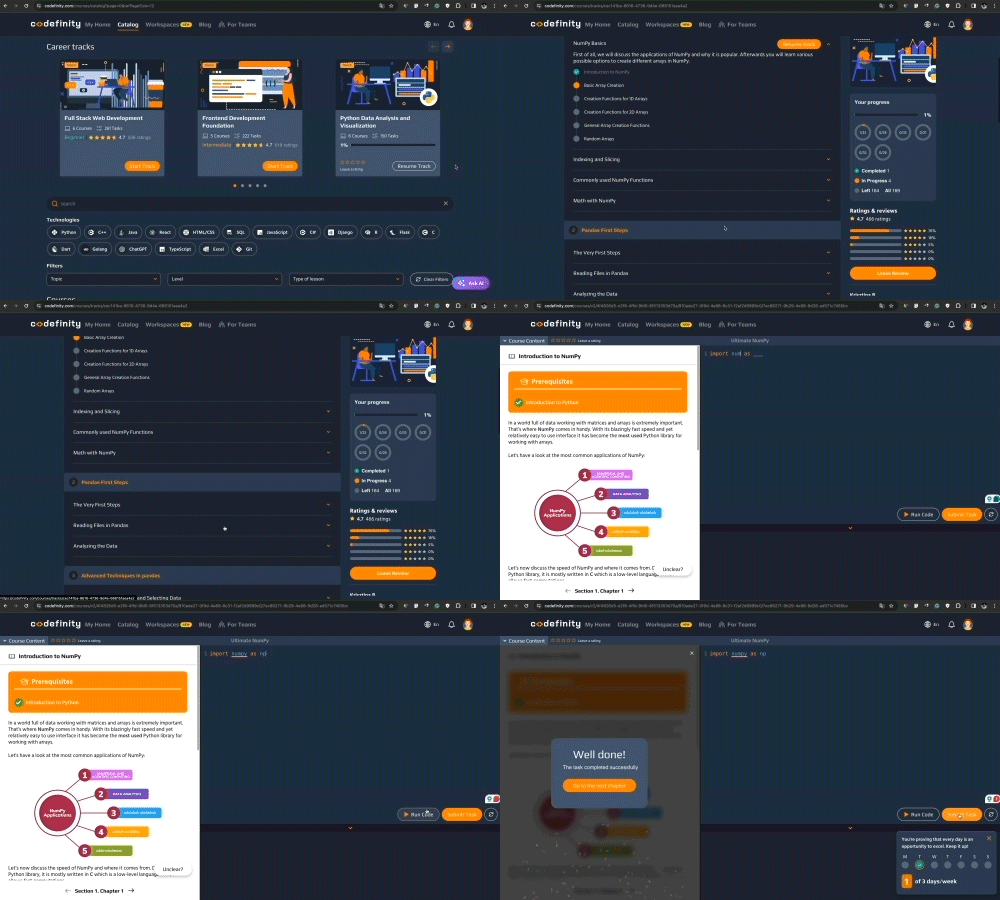
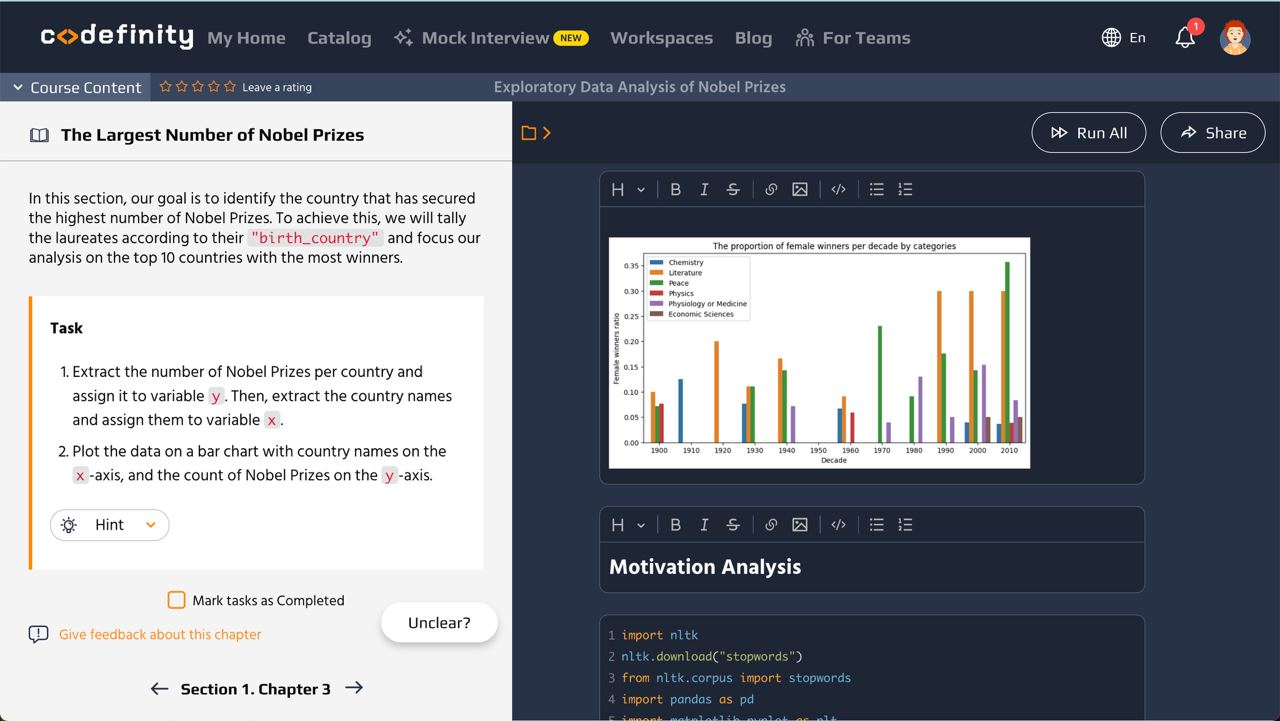
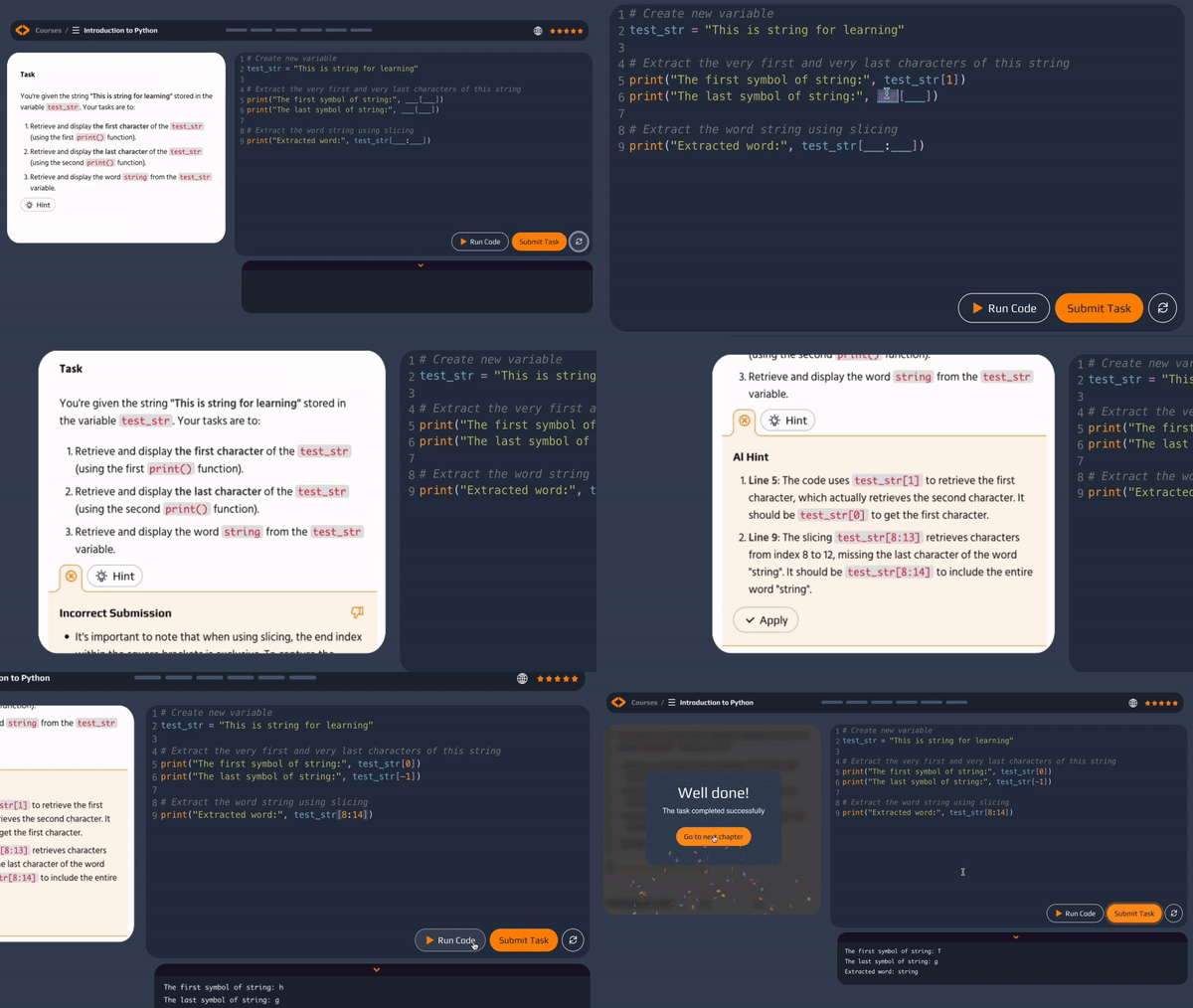
AI-Assisted Learning

Embrace the fascination of Tech Skills! Our AI-assistant provides real-time feedback, personalized hints, and error explanations, empowering you to learn with confidence.

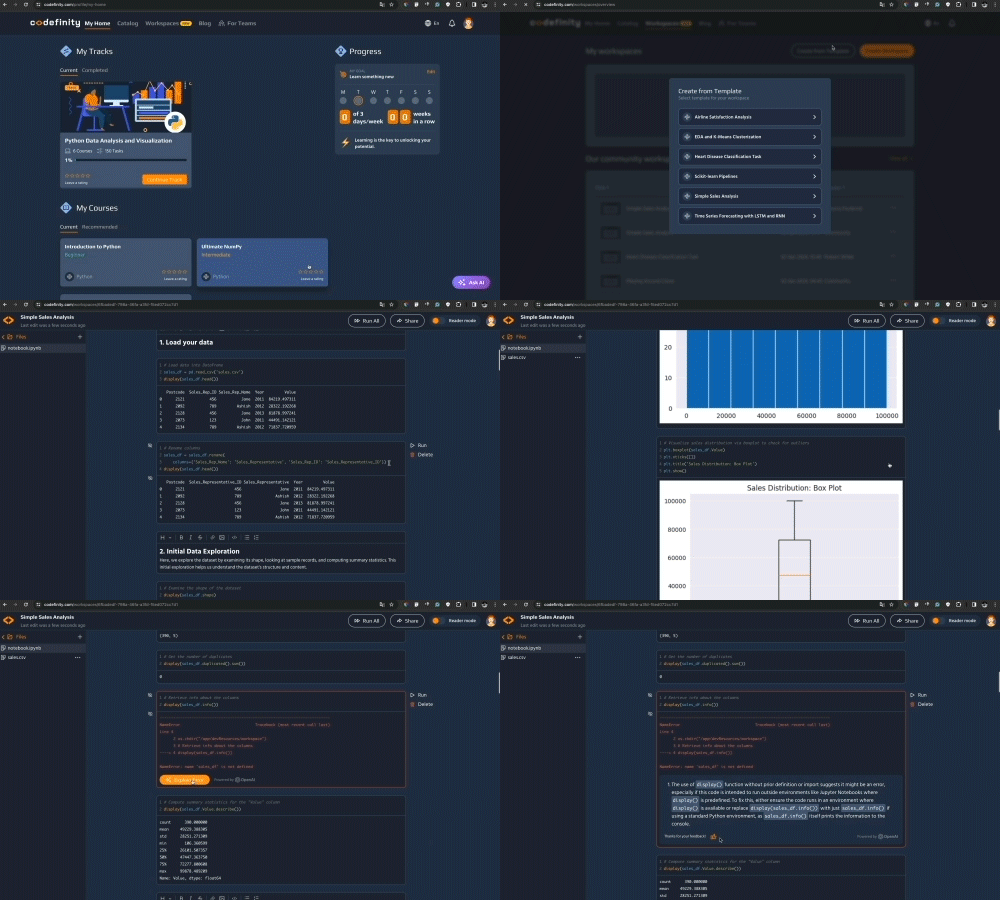
Workspaces

With Workspaces, you can create and share projects directly on our platform. We've prepared templates for your convenience

Learning tracks

Take control of your career development and commence your path into mastering the latest technologies

Real-world projects

Real-world projects elevate your portfolio, showcasing practical skills to impress potential employers
AI-Assisted LearningAI-Assisted LearningAI-Assisted LearningAI-Assisted Learning
Why Codefinity stands out
Video content
Downloadable materials
Esteemed certificates
Interactive learning environment
Error correction
AI assistant
Access to all content with one subscription
Codefinity
yes
yes
yes
yes
yes
yes
yes
Video-based learning platforms
yes
yes
yes
no
no
no
no
Codefinity
Video-based learning platforms
Video content
yesyes
Downloadable materials
yesyes
Esteemed certificates
yesyes
Interactive learning environment
yesno
Error correction
yesno
AI assistant
yesno
Access to all content with one subscription
yesno
Career opportunitiesLearn about the most popular professions, average salaries, and companies actively seeking specialists in this field.
Front End Developer
Application Developer
Web Developer
React Developer
Software Engineer
$77k
$109k
$142k
Min
Average
Max
Annual salary
(Average in the US)
Meta
Workday
Dropbox
Splunk
VMware
Wish
Hiring companies
*Source: Glassdoor
Chosen by students of top schools
Including 30 out of top-30 U.S. colleges
virginia
texas
michigan
duke
berkeley
yale
mit
brown
carnegie
rochester
california
connecticut
massachusetts
city-new-york
virginia
texas
michigan
duke
berkeley
yale
mit
virginia
texas
michigan
duke
berkeley
yale
mit
brown
carnegie
rochester
california
connecticut
massachusetts
city-new-york
virginia
texas
michigan
duke
berkeley
yale
mit
florida
illinois
colorado
indiana
new-york
cornell
columbia
notre-dame
florida
illinois
colorado
indiana
florida
illinois
colorado
indiana
new-york
cornell
columbia
notre-dame
florida
illinois
colorado
indiana

Web Development Courses: Key Info and Questions

Introduction to Web Development
Web Development is about creating and maintaining websites and web applications, covering both design and technical aspects. Courses teach you how to build and style user interfaces, add interactive features with JavaScript, and develop complete applications using both frontend and backend technologies.
Benefits of our Web Development Courses
Our Web Development courses offer substantial benefits by providing a comprehensive understanding of both frontend and backend technologies, equipping students with the skills to build dynamic and responsive websites. Participants gain practical experience through real-world projects, enhancing their ability to create effective web solutions and prepare for a wide range of career opportunities in the tech industry. This hands-on approach fosters proficiency in key Web Development tools and techniques, making students competitive in the job market.
Career Opportunities after Completion of Web Development Courses
Completing Web Development courses can lead to careers as Web Developers, Frontend Developers, Backend Developers, and Full Stack Developers. These skills are also valuable in digital marketing, UI/UX design, and content management.
Web Development Options
We offer courses for all skill levels, whether you're just starting out or looking to advance your skills. You can choose to focus on frontend development or learn full stack development to build complete web applications.
Certificate Information
After completing Web Development courses, you will receive certificates to showcase your skills. This can help strengthen your resume and demonstrate your technical abilities to potential employers.
How to choose a suitable Web Development course?
Choose a course that matches your current skill level and goals. If you're a beginner, start with HTML, CSS, and JavaScript to build a strong foundation. If you're more advanced, choose courses on frameworks like React or Next.js to deepen your skills.
Which course is best in the category of Web Development courses?
The best course depends on your goals. If you want to learn how to build websites, focus on HTML, CSS, and JavaScript. If you want to build more advanced applications, consider learning frameworks like React or Node.js.
Why should I consider taking an online Web Development course with your company?
Our online courses let you learn at your own pace and on your schedule, from anywhere. You'll get practical projects, clear video tutorials, and coding exercises that help you build real, usable skills instead of just learning theory.
Tips for Successful Web Development Course Completion
Set a regular study schedule and stick to it. Code along with the lessons, take notes, and break projects into smaller steps to stay organized. Most importantly, practice by building real projects to strengthen your skills.
What is the cost of training for Web Development courses?
We offer flexible pricing to fit your learning needs. Our Pro Plan starts at $49 per month, or you can save by choosing $99 for three months or $144 for a full year. If you want a more comprehensive learning experience, our Ultimate Plan is available for $59 per month, $147 for three months, or $299 annually. Both plans give you access to expert-crafted courses, interactive challenges, and certifications to support your growth. For full details, please visit our pricing page.
Which Web Development course is best suited for beginners?
Beginners should start with a course that covers HTML, CSS, and JavaScript with clear explanations and interactive exercises. This helps you build a strong foundation and confidence as you start your Web Development journey.
What are the key skills required to excel in Web Development?
To excel in Web Development, you need a solid understanding of HTML, CSS, and JavaScript. It’s also important to develop problem-solving skills, attention to detail, and the ability to debug your code. As you grow, learning frameworks like React or Next.js, understanding how to work with APIs, and gaining basic knowledge of version control with Git will help you advance further in your Web Development journey.
How does Web Development impact the e-commerce industry?
Web Development is crucial for creating user-friendly and visually appealing e-commerce sites that enhance customer experience and drive sales. It enables businesses to build secure, scalable, and responsive online platforms that can handle high traffic and transactions.
What are the differences between frontend and backend development in Web Development?
Frontend development focuses on the user interface and experience, involving technologies like HTML, CSS, and JavaScript. Backend development deals with server-side logic, databases, and application functionality, often using languages like Python, PHP, or JavaScript with Node.js.
How does learning Web Development contribute to digital marketing skills?
Learning Web Development can enhance digital marketing skills by enabling better website design, optimization, and user experience, all of which are crucial for effective online marketing. It also provides an understanding of analytics and tracking tools that are essential for measuring marketing performance.
Is 3 months enough to learn Web Development?
Three months can be enough to learn the basics of Web Development, including HTML, CSS, and JavaScript, and to build simple projects. However, becoming proficient and job-ready usually requires additional time and practice, depending on your dedication and the complexity of the skills you're learning.
Are Web Development courses worth it?
Yes. Web Development courses can speed up your learning, help you build a strong portfolio, and prepare you for job opportunities. They provide structured guidance and practical experience, making them a valuable investment for your career.
What Our Users Say
Join 1.5+ million advancing in AI and data skills at Codefinity
Ready to get started?
ProBest intro offer$12 /monthBilled annually

benefit250+ Top-Rated courses
benefitCompletion certificates
benefitAI-Assistant in all courses
benefit40+ hands-on Real-world projects
benefitPersonalized study tracks
benefitUnlimited workspaces
UltimateAll you need to boost your career$25 /monthBilled annually

benefit250+ Top-Rated courses
benefitCompletion certificates
benefitAI-Assistant in all courses
benefit40+ hands-on Real-world projects
benefitPersonalized study tracks
benefitUnlimited workspaces
Top courses in the Web Development category
1.
HTML Essentials
time3 hours
chapters35 chapters
2.
Ultimate HTML
time4 hours
chapters42 chapters
3.
CSS Fundamentals
time4 hours
chapters39 chapters
4.
Introduction to .NET with C#
time6 hours
chapters45 chapters
5.
Web Development with Wix
time3 hours
chapters34 chapters
1. HTML Essentials
timeHours
3
chaptersChapters
35
2. Ultimate HTML
timeHours
4
chaptersChapters
42
3. CSS Fundamentals
timeHours
4
chaptersChapters
39
4. Introduction to .NET with C#
timeHours
6
chaptersChapters
45
5. Web Development with Wix
timeHours
3
chaptersChapters
34

Follow us

trustpilot logo

Address

codefinity
We're sorry to hear that something went wrong. What happened?
some-alt