Verwandte Kurse
Alle Kurse anzeigenAnfänger
AI Automation Workflows with n8n
n8n is a flexible automation platform for connecting apps, transforming data, and building AI-powered workflows. You'll develop strong fundamentals through real, practical examples, covering triggers, JSON handling, data-flow theory, AI integration, webhooks, and complete automation builds. The focus is on understanding how information moves through a workflow and how to structure that information so nodes and APIs behave predictably. The result is the ability to design, debug, and ship reliable automations that work end to end.

Anfänger
Workflow Automation with Make.com
Learn how to build powerful, real-world automation systems using Make.com and AI. Start with the fundamentals of scenario building and flow control, then master data handling, functions, APIs, and webhooks. Move into advanced workflows that combine RSS feeds, AI agents, and multimedia processing to create intelligent content pipelines. Finish by assembling a complete automation system, managing AI outputs, and exploring expansion ideas for scaling your workflows.

What is n8n and How to Build Automations Without Coding
A Beginner-Friendly Guide to Visual Workflow Automation

by Ihor Gudzyk
C++ Developer
Feb, 2026・
10 min read


Automation is no longer limited to large enterprises. Today, developers, startups, and solo creators can build powerful automated workflows without writing complex backend systems. One of the most flexible tools for this is n8n.
If you have ever wanted to connect APIs, automate repetitive tasks, or build backend logic visually without relying heavily on third-party SaaS platforms, this article is for you.
What is n8n?
n8n (short for nodemation) is an open-source workflow automation tool that allows you to connect different services and automate tasks using a visual node-based interface.
Unlike many popular automation platforms that focus on simplicity over flexibility, n8n is designed for developers who want more control and fewer limitations. It combines visual workflow building with the freedom to customize logic and infrastructure as needed.
| Open-source | Full control over your automation system |
| Node-based editor | Build workflows visually |
| API integration | Connect to REST, GraphQL, and custom APIs |
| JavaScript support | Add custom logic inside workflows |
| Self-hosted | Deploy on your own server |
This makes n8n a strong middle ground. It is more powerful than traditional no-code tools, yet far simpler than building and maintaining a full backend from scratch.
Why Developers Love n8n
n8n stands out because it feels like a real backend tool, not a toy abstraction. Developers are not boxed into predefined actions or rigid templates. Instead, they get a system that adapts to how they already think about logic, data flow, and integrations.
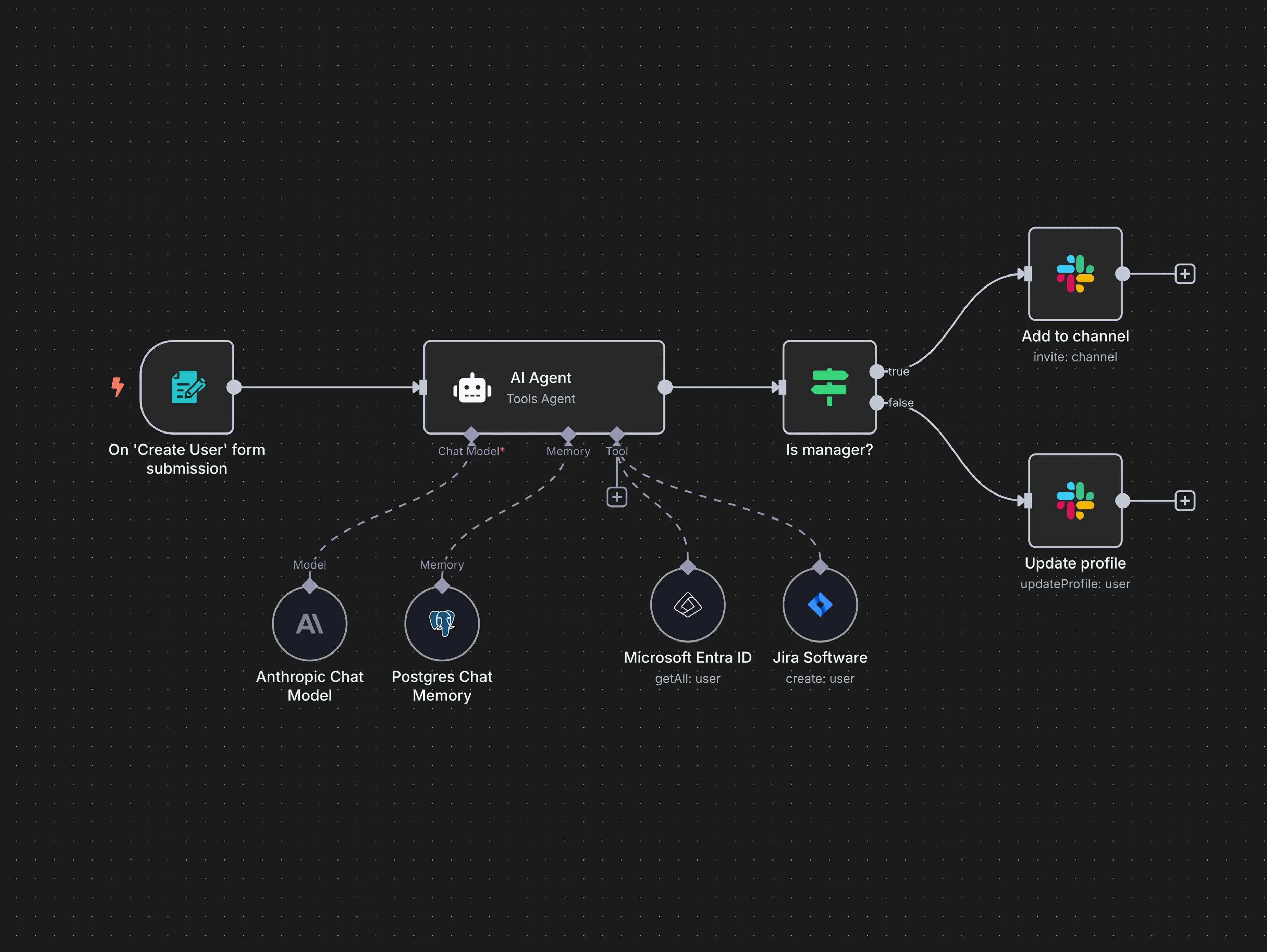
What really clicks is the visual workflow editor combined with full programmatic control. You can see the entire flow at a glance, add conditions, branch logic, and still drop into JavaScript whenever visual blocks are not enough. It removes the friction between no-code simplicity and developer-level flexibility.
Another reason developers gravitate toward n8n is that it fits naturally into modern stacks. It works well with APIs, event-driven systems, and AI agents, making it ideal for workflows like user provisioning, internal tooling, onboarding automation, and intelligent decision pipelines. It scales from quick experiments to production-grade systems without needing to be rewritten later.
How n8n Works
At its core, n8n works by connecting nodes into a workflow. Each node represents a single step, such as receiving data, calling an API, applying logic, or sending a message. By chaining nodes together, you define how data moves and how decisions are made.
A workflow usually starts with a trigger node, which reacts to an event like a form submission, webhook call, or scheduled task. Once triggered, data flows through the workflow and is processed step by step.
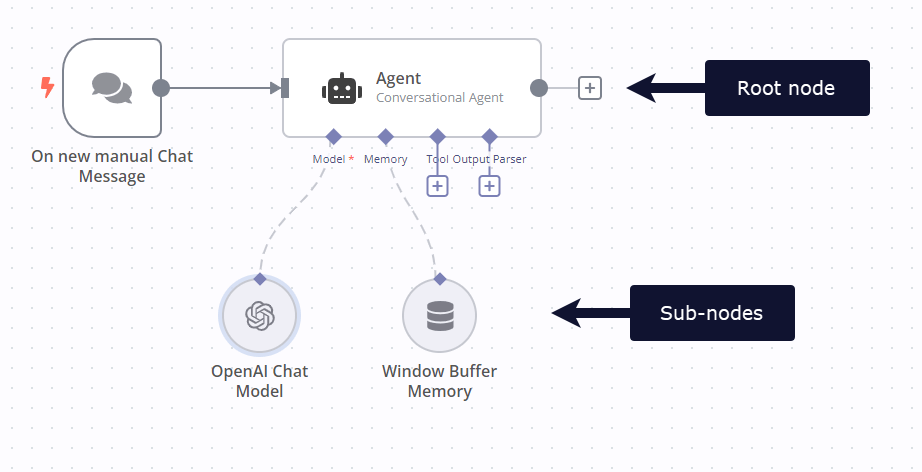
To make this easier to understand, n8n groups functionality into different types of nodes, each with a clear role.
| Trigger nodes | Start a workflow when an event occurs | Webhook, form submission, cron job |
| Action nodes | Perform an operation or side effect | Create user, send message, write to DB |
| Logic nodes | Control flow and decision making | If condition, switch, filter |
| Data nodes | Transform or structure data | Merge, split, map fields |
| Code nodes | Run custom JavaScript logic | Validation, calculations, formatting |
| Integration nodes | Connect to external services and APIs | Slack, Jira, REST, GraphQL |
| AI nodes | Add reasoning or decision support | AI agents, classification, enrichment |
Logic nodes are what make n8n feel like a backend system rather than a simple automation tool. You can branch workflows, apply conditions, and handle edge cases visually, without losing clarity.
When visual configuration is not enough, code nodes let you write JavaScript directly inside the workflow. This allows fine-grained control while still keeping everything in one place.
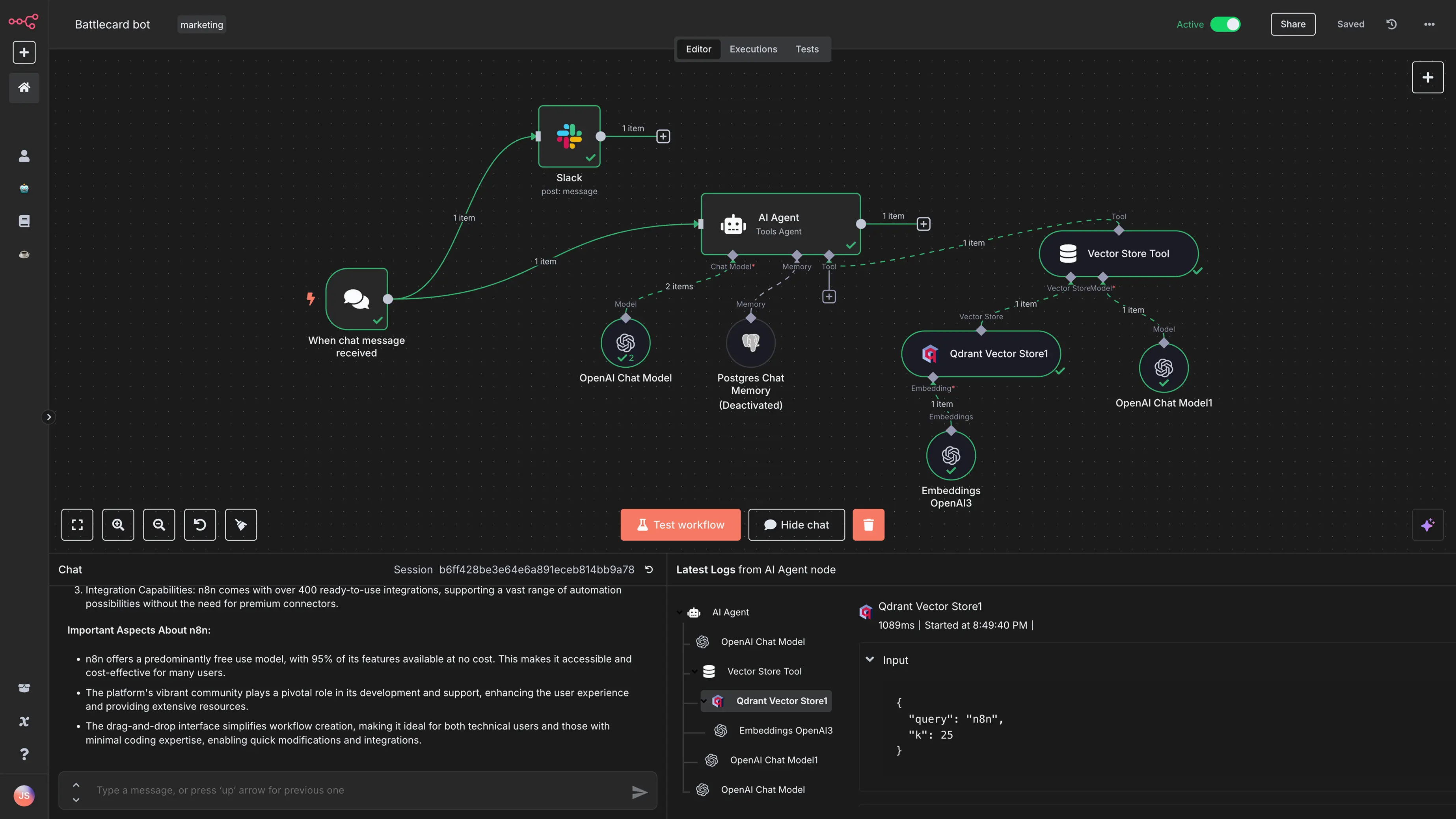
Because every node exposes its input and output, workflows are easy to debug and reason about. You can inspect data at each step, test changes quickly, and scale from simple automations to complex systems without rewriting everything later.
Start Learning Coding today and boost your Career Potential

Installing n8n
You can install n8n in several ways, depending on whether you want to experiment locally or run it in production.
For local development and quick testing, n8n can be installed globally using npm. After installation, you can start the editor and access it in your browser at http://localhost:5678.
npm install n8n -g
n8n
For production environments, running n8n with Docker is the recommended approach. It provides better isolation, easier upgrades, and more predictable deployments, especially on servers or cloud platforms.
docker run -it --rm \
  -p 5678:5678 \
  n8nio/n8n
The table below compares the most common installation options and when to use them.
| npm | Local testing | Easy |
| Docker | Production deployments | Medium |
| Cloud hosting | Managed solution | Easy |
If you are just getting started, installing n8n locally is the quickest way to learn the interface and core concepts. You can switch to Docker later once your workflows are ready for production.
FAQs
Q: Do I need programming experience to use n8n?
A: No, you can start with basic workflows visually. However, JavaScript knowledge helps unlock advanced features.
Q: Is n8n completely free?
A: The self-hosted version is free and open-source. There is also a paid cloud version with managed hosting.
Q: Can I use n8n in production?
A: Yes. With Docker, PostgreSQL, authentication, and proper backups, n8n is production-ready.
Q: How is n8n different from Zapier?
A: n8n is open-source, self-hostable, and allows custom JavaScript logic, giving developers much more flexibility.
Q: Can I integrate n8n with any API?
A: Yes. Using the HTTP Request node, you can connect to almost any REST or GraphQL API.
War dieser Artikel hilfreich?
Teilen:
War dieser Artikel hilfreich?
Teilen:
Verwandte Kurse
Alle Kurse anzeigenAnfänger
AI Automation Workflows with n8n
n8n is a flexible automation platform for connecting apps, transforming data, and building AI-powered workflows. You'll develop strong fundamentals through real, practical examples, covering triggers, JSON handling, data-flow theory, AI integration, webhooks, and complete automation builds. The focus is on understanding how information moves through a workflow and how to structure that information so nodes and APIs behave predictably. The result is the ability to design, debug, and ship reliable automations that work end to end.
Anfänger
Workflow Automation with Make.com
Learn how to build powerful, real-world automation systems using Make.com and AI. Start with the fundamentals of scenario building and flow control, then master data handling, functions, APIs, and webhooks. Move into advanced workflows that combine RSS feeds, AI agents, and multimedia processing to create intelligent content pipelines. Finish by assembling a complete automation system, managing AI outputs, and exploring expansion ideas for scaling your workflows.
The 80 Top Java Interview Questions and Answers
Key Points to Consider When Preparing for an Interview

by Daniil Lypenets
Full Stack Developer
Apr, 2024・30 min read
Top 50 Python Interview Questions for Data Analyst
Common Python questions for DA interview

by Ruslan Shudra
Data Scientist
Apr, 2024・27 min read

The 50 Top SQL Interview Questions and Answers
For Junior and Middle Developers

by Oleh Lohvyn
Backend Developer
Apr, 2024・31 min read

Inhalt dieses Artikels
